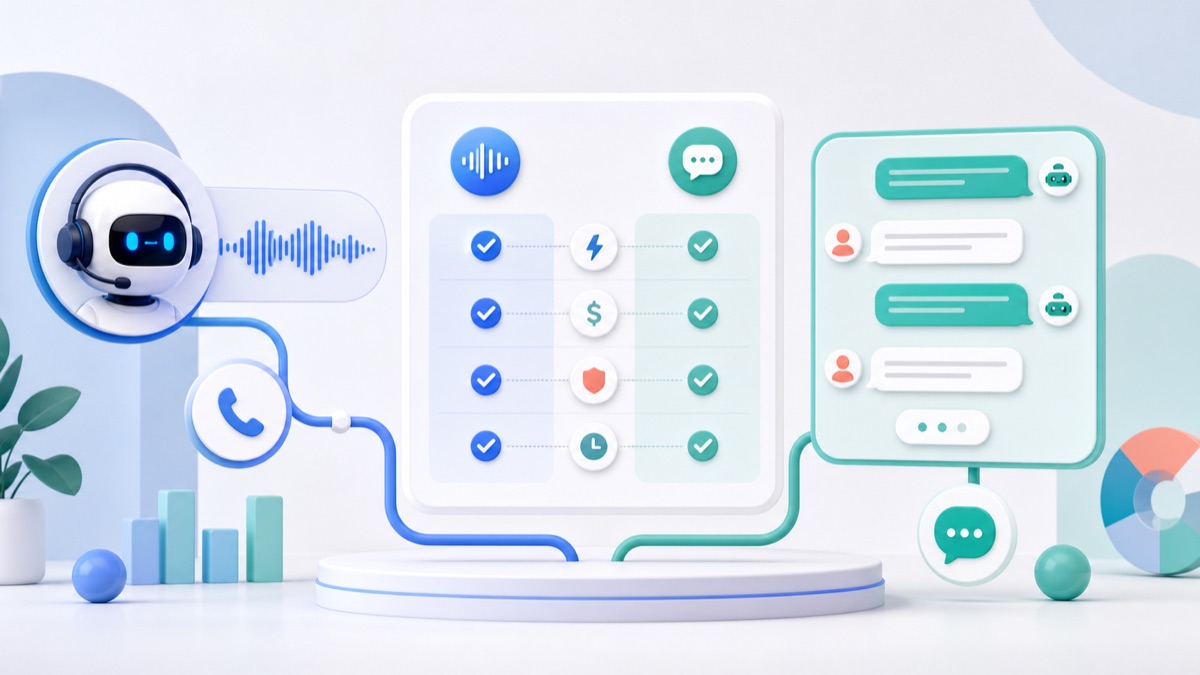
AI voice agents are getting good enough to feel like a real product surface, not a demo. Chatbots are also still useful because they are cheaper, easier to review, easier to search and easier to hand off to humans. The right choice is not “voice is better” or “chat is safer.” The right choice depends on the job your user is trying to finish.
If the user needs a fast conversation while driving, calling support, practicing a language or navigating a hands-free workflow, a voice agent can be the best interface. If the user needs to compare options, review details, copy a response, approve a message or keep a searchable record, a chatbot or an async voice workflow may be better.
This guide gives you a practical decision framework for choosing between an AI voice agent, a chatbot and a voice memo workflow in 2026.
Short Answer
An AI voice agent is best when the experience depends on live spoken conversation. A chatbot is best when the experience depends on text review, clear records and lower operating complexity. A voice-to-email or voice memo workflow is best when users want to speak naturally but do not need a live back-and-forth call.
That third option matters. Many teams jump from “we need voice” directly to “we need a realtime voice agent.” In practice, a voice memo that becomes a transcript, summary, action list and email can deliver much of the value with less latency risk and lower support complexity.
That is the gap VocalJet is built around: record once, turn speech into useful written output, and share it through workflows people already use.
What Is an AI Voice Agent?
An AI voice agent is software that listens to spoken input, understands what the user wants, decides what to do, and responds with spoken audio. A production voice agent may also call tools, fetch account data, book appointments, escalate to a human, write notes or update a CRM.
OpenAI’s voice agents guide describes two common architectures:
- Speech-to-speech sessions, where the model works directly with live audio.
- Chained voice pipelines, where your application explicitly connects speech-to-text, reasoning and text-to-speech.
Deepgram’s Voice Agent API documentation describes a similar product goal from another angle: a real-time agent pipeline that listens, thinks and speaks over a single WebSocket connection.
The important point is that a voice agent is not just transcription. It is a live product loop.
What Is a Chatbot?
A chatbot is an interactive text interface. The user types, the system responds, and the conversation stays visible. It can still use the same underlying language models, tool calls, retrieval, guardrails and workflow logic as a voice agent.
The advantage of chat is control:
- Users can read before they act.
- The product can show sources, warnings and structured options.
- Teams can log and inspect conversations more easily.
- Users can copy text into another tool.
- Human handoff is simpler because the transcript is already there.
The disadvantage is that chat makes the user type, read and stay in a screen. That is a poor fit for many phone, field, customer support and accessibility use cases.
Voice Agent vs Chatbot Decision Matrix
Use this table before committing to a product roadmap.
| Decision factor | Voice agent | Chatbot | Async voice memo workflow |
|---|---|---|---|
| User input | Spoken live | Typed text | Spoken once |
| Response format | Spoken live | Written | Transcript, summary, email or task |
| Best for | Calls, support, coaching, language practice, hands-free work | Research, account changes, approvals, comparisons, documentation | Updates, follow-ups, notes, field reports, meeting alternatives |
| Latency sensitivity | Very high | Medium | Low |
| Review before sending | Harder | Easy | Easy |
| Searchable record | Needs transcription/logging | Native | Native after transcription |
| Cost profile | Higher, because audio is real time | Lower and easier to batch | Lower than live voice, especially for async use |
| Human handoff | Needs careful call transfer and summary | Easier | Easy through email or shared notes |
| Trust risk | Higher because speech feels personal | Medium | Medium, but user-authored audio is easier to explain |
The most common mistake is treating voice as a feature instead of a workflow. A voice agent is not automatically better because it sounds human. It is better only when the user benefits from staying in a spoken loop.
Latency Is the First Constraint
Voice agents fail when they feel slow. A chatbot can take a few seconds to answer and still feel acceptable if the user sees loading states or streamed text. A voice agent with awkward pauses feels broken much faster because conversation has a natural rhythm.
Twilio’s guide to core latency in AI voice agents frames latency as the defining constraint and breaks down the common cascaded pipeline:
- Speech-to-text.
- LLM reasoning.
- Text-to-speech.
- Network and telephony transport.
- Turn detection and interruption handling.
That means voice agent quality is not only about the model. It is about the entire loop. Barge-in, silence detection, first audio delay, tool-call time and phone network routing all affect the user experience.
This is why many teams should start with a non-realtime workflow. If your user just wants to send an update, explain a problem, create a follow-up email or save meeting notes, a live agent is unnecessary. An AI voice recorder can capture the speech, transcribe it and turn it into useful written output without forcing the user into a real-time conversation.
When You Should Build a Voice Agent
Build a voice agent when the user needs live interaction and the spoken channel is central to the job.
Strong use cases include:
- Customer support calls where users expect to talk.
- Appointment booking by phone.
- Language tutoring or pronunciation coaching.
- Hands-free field work.
- Guided troubleshooting when the user cannot look at a screen.
- Accessibility workflows for users who prefer speech.
- Sales or intake calls where the system asks short questions and records answers.
Voice is also useful when emotion and tone matter. A frustrated customer may not want to type a long support form. A contractor on a job site may not want to open a laptop. A user walking between meetings may want to speak a follow-up instead of composing an email.
But voice agents need tighter product boundaries than chatbots. Keep the first version narrow:
- One primary job.
- Short turns.
- Few tool calls.
- Clear fallback to a human or async follow-up.
- A written transcript and summary after the call.
If the agent has to handle every edge case on day one, the project is probably too broad.
When You Should Build a Chatbot
Build a chatbot when the user needs review, comparison or documentation.
Strong use cases include:
- Help center search.
- Product recommendations that need side-by-side comparison.
- Account changes that need confirmation.
- Internal knowledge base assistants.
- Policy, finance or legal-adjacent workflows where wording matters.
- Developer tools and dashboards.
- Support flows where the user may upload screenshots or copy error messages.
Chat is also better when the answer should include links, citations, tables or exact instructions. The user can scroll, reread, share and audit the response.
For many SaaS products, the best architecture is not “voice instead of chat.” It is one shared agent layer with multiple interfaces:
- Chat for screen-based work.
- Voice agent for live spoken moments.
- Voice memo input for async work.
- Email output for handoff and distribution.
That is especially useful for teams that already use email as the final work surface.
When an Async Voice Memo Workflow Is Better
Many voice workflows do not need a live agent at all.
Imagine these jobs:
- A sales rep records a client recap after a call.
- A founder dictates a product update for the team.
- A consultant sends a voice explanation instead of scheduling a meeting.
- A recruiter captures candidate notes while walking.
- A customer success manager turns a call memory into a follow-up email.
- A field worker explains an issue and attaches it to a ticket.
Those users want to speak. They do not necessarily want the software to speak back.
In that case, a voice message to email workflow is often the practical choice. The user records naturally, then the product creates a transcript, summary and shareable written message. The output can be searched, edited and forwarded.
This is the same logic behind transcribing voice memos. The value is not just the transcript. The value is turning messy spoken input into organized work.
If your product roadmap includes AI voice agents, build this async layer first. It gives you:
- Real user audio data, with consent.
- A transcript corpus for quality evaluation.
- A better understanding of user intent.
- A lower-risk path to summaries, tasks and emails.
- A natural fallback when a live agent cannot finish the job.
A Practical Cost Model
Voice agents usually cost more than chatbots because they involve audio streaming, speech recognition, text generation, speech synthesis and real-time infrastructure. Even if each component is efficient, the full loop is always doing more work than a text-only chat flow.
Use this simple planning model:
| Cost area | Voice agent question | Chatbot question | Async voice question |
|---|---|---|---|
| Model cost | How many live minutes and tool calls? | How many messages and tokens? | How many uploaded minutes and summaries? |
| Infrastructure | Do we need WebRTC, telephony or WebSocket streaming? | Can we use standard HTTP and queues? | Can we process in background jobs? |
| QA | Do we test turn-taking, interruptions and speech output? | Do we test text accuracy and citations? | Do we test transcript quality and summary usefulness? |
| Support | What happens when the agent misunderstands aloud? | What happens when the answer is wrong in writing? | What happens when the transcript misses context? |
| Compliance | Are users told they are speaking with AI? | Is AI involvement clear? | Is recording consent and retention clear? |
If you are still validating demand, async voice and chat are usually cheaper learning loops. If you already know that calls are the main channel, voice agents can justify the extra complexity.
For infrastructure tradeoffs, VocalJet also has a deeper guide on whether you can self-host Voice AI in 2026.
Trust and Compliance Checklist
Voice feels personal. That makes trust more important.
The EU AI Act Service Desk summary of Article 50 says users should be informed when they interact directly with an AI system, and that synthetic or manipulated audio content should be identifiable as AI-generated or manipulated. In the United States, the FTC has also warned about AI-enabled voice cloning risks and says there is no AI exemption from existing laws in its post on approaches to address AI-enabled voice cloning.
For a practical product team, that translates into a checklist:
- Tell users when they are interacting with AI.
- Do not make the agent sound like a specific person without verified consent.
- Avoid deceptive outbound calls.
- Keep a transcript or event log for review.
- Give users a way to reach a human.
- Make recording, retention and deletion rules clear.
- Use stronger review for sensitive workflows.
- Separate user-authored voice notes from synthetic voice generation.
This is another reason async voice can be attractive. A user recording their own voice memo is easier to explain than a system generating a human-like voice that might be mistaken for someone else.
A 5-Step Roadmap for Teams
If you are unsure where to start, use this sequence.
Step 1: Map the Real User Job
Write the job in one sentence:
“The user needs to speak because…”
If the sentence ends with “they are on a call,” “they are driving,” “they cannot look at a screen,” or “the workflow is naturally conversational,” explore a voice agent.
If it ends with “typing is slow,” “they want to capture a thought,” or “they need to send a better follow-up,” start with an async voice memo workflow.
Step 2: Decide the Output Surface
The output surface matters more than the input.
Should the final result be:
- A spoken answer?
- A written answer?
- An email?
- A task?
- A searchable note?
- A support ticket?
- A CRM update?
If the final result is written, do not overbuild a voice agent. Let the user speak, then generate the written artifact. VocalJet’s send voice memo by email workflow exists for that exact reason.
Step 3: Build the Transcript Layer
Even if you plan to launch voice agents later, build reliable transcription and summarization first. You need transcripts for quality control, search, user review, fallback and analytics.
If you need a primer, start with VocalJet’s guide to audio transcription.
Step 4: Add Workflow Intelligence
A raw transcript is useful, but not enough. The product should turn speech into structure:
- Summary.
- Action items.
- Follow-up email.
- Tags.
- People mentioned.
- Open questions.
- Deadline hints.
- Searchable archive.
This is where an audio product becomes an AI workspace instead of a recorder.
Step 5: Add Realtime Voice Only Where It Wins
Once you know the repeated jobs, add a voice agent only where live turn-taking improves the outcome. Keep the first agent narrow, test latency aggressively and always provide a written follow-up.
FAQ
Are AI voice agents replacing chatbots?
No. AI voice agents are adding a new interface for jobs where live speech is better. Chatbots remain useful for text review, search, documentation and lower-cost support.
Is a voice agent always better for customer support?
Not always. A voice agent is useful when customers expect a call or need hands-free help. A chatbot is often better for detailed instructions, links, account review and cases where the user needs to copy information.
What is the biggest technical risk in a voice agent?
Latency. The agent has to listen, understand, reason, speak and handle interruptions fast enough to feel natural. The full loop matters more than any single model benchmark.
What is the safest way to start with voice AI?
Start with user-authored voice memos, transcription, summaries and email handoff. You learn the user’s speech patterns and workflows without the complexity of real-time conversation.
Where does VocalJet fit?
VocalJet fits the async voice layer. It helps users record voice memos, transcribe them, summarize them, search them and turn them into shareable messages or emails. For many teams, that is the fastest path to useful Voice AI before building a live agent.
Final Recommendation
Choose the interface based on the user’s job:
- Build a voice agent when the user needs live spoken interaction.
- Build a chatbot when the user needs text review, search and control.
- Build an async voice memo workflow when the user wants to speak naturally but the final work should become text, email, notes or tasks.
For most teams in 2026, the practical starting point is not a fully autonomous voice agent. It is a reliable voice-to-text workflow that turns spoken updates into useful output. Once that workflow is working, you can add live voice agents exactly where real-time conversation creates more value than it costs.