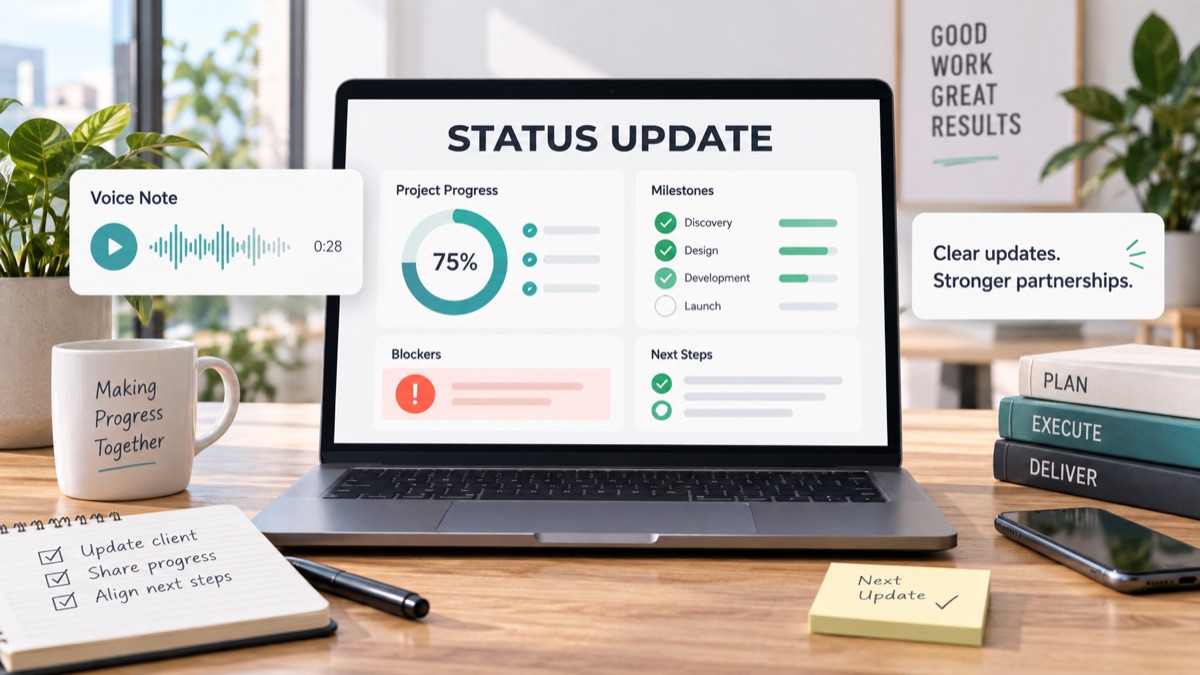
Client status updates should make clients feel informed without creating another round of scattered questions. For agencies, consultants, studios and freelancers, the problem is not usually a lack of work. The problem is that progress, blockers, decisions, feedback, scope changes and next steps are split across tools, meetings, comments and voice notes.
A strong client status update turns that activity into a short, client-facing record. It says what changed, what is blocked, what needs a decision and what will happen next. It also gives the client a clear place to respond, so an update does not become a surprise meeting or an accidental scope expansion.
This guide gives you a reusable status update template, an async workflow and a raw voice-note-to-client-update example. Use it when the client needs confidence and clarity, but the project does not need another live call.
Quick Answer
A client status update template is a repeatable format agencies use to summarize project health, progress, blockers, decisions, scope signals and next steps for a client. It keeps updates consistent, scannable and easy to confirm asynchronously.
For agency work, the best client status update is shorter than an internal project report. It should tell the client what they need to know, what they need to decide and what the agency will do next. It should not expose every internal task or turn every minor production detail into a client decision.
Use this simple routing model before you write the update.
| Update signal | Client-facing status | What to include |
|---|---|---|
| Work is moving as planned | On track | Progress, completed milestone and next delivery date |
| Client input is missing | Waiting on client | Specific input, owner and deadline |
| A risk may affect timing | At risk | Risk, impact, proposed mitigation and decision needed |
| Feedback changes the work | Scope check | What changed, why it matters and available options |
| A deliverable is ready | Review needed | Link, review request, decision options and due date |
Async client updates work best when the agency keeps the client record separate from the internal task list. The client needs a clear summary. The team still needs its detailed delivery board.
Why Client Status Updates Break In Agencies
Client updates often fail because they are either too vague or too operational.
“Everything is moving” sounds reassuring, but it hides blockers. A copied task list is transparent, but it forces the client to interpret project management details. Neither format helps the client understand what changed, what needs attention or what decision comes next.
A client status update is not the same as a team standup. It is a client communication artifact. It should translate internal progress into a decision-ready view.
Asana’s status report guidance describes status reports as summaries of project progress, health and upcoming priorities, including blockers, risks and next steps. Source: Asana status report template.
Atlassian similarly frames project status reports around concise progress, risks and action items that keep stakeholders aligned. Source: Atlassian project status report guide.
For client-facing service work, add one more layer: scope clarity. A client update should flag when progress depends on a client input, approval, new request or changed assumption.
Client Status Update Template For Agencies
Use this template for weekly updates, milestone updates or async updates after a meaningful client voice note.
1 | Subject: Project update: [Project name] - [Status] |
This template is intentionally plain. The value is not clever writing. The value is that every update has the same shape: health, progress, focus, client input, risk and next step.
If you already use a client communication plan for agencies, this template becomes the recurring update inside that plan. If you are still defining intake and ownership rules, start with client intake software for agencies and make status updates part of the delivery rhythm.
What To Include And What To Leave Out
The client does not need every internal task. They need enough context to trust the work and act quickly when their input matters.
| Section | Include | Leave out |
|---|---|---|
| Overall status | On track, at risk, blocked, waiting on client or scope check needed | Long explanation before the status |
| Progress | Completed client-visible work and meaningful milestones | Every small internal task |
| Current focus | What the team is doing now and why | Private resource juggling |
| Client input | Specific request, owner and date | “Please send thoughts” with no decision path |
| Risks | Timing, dependency, scope or approval risk | Blame language |
| Next steps | Agency action, client action and next checkpoint | Open-ended “we will keep you posted” |
A client status update is the written checkpoint that turns project movement into shared understanding.
An async client update is a project update the client can read, review and answer without joining a live meeting.
Scope signals are requests, blockers or assumptions in a status update that may change deliverables, timing, budget, approval ownership or responsibilities.
Best Workflow For Agencies, Consultants And Freelancers
1. Gather Progress Before Writing
Start with your delivery board, feedback threads, decision log and open client inputs. Do not write the update from memory. You are looking for what changed since the last update, not every detail that exists in the project.
If feedback is scattered, use async client feedback to collect client comments without a meeting. Then summarize the result before turning it into a status update.
2. Record The Nuance By Voice When It Is Faster
Sometimes the account lead can explain the status faster by speaking than by composing a polished email from scratch:
“The homepage is done, the pricing page is behind because we still need screenshots, and the new comparison section might be outside scope.”
With VocalJet, that spoken context can become a transcript, summary, action items, scope signals and follow-up-ready text. Use the voice note as raw material, then review it before sending anything to the client.
This works especially well when the update needs tone. A short voice note can capture why a blocker matters without making the written message sound dramatic.
3. Separate Progress From Decisions
Do not mix “we completed the wireframes” with “please decide whether to add a new page” in one loose paragraph. Separate them.
Use client feedback to action items when feedback needs to become tasks, owners and dates. Use a client decision log when the client has made a choice that affects scope, approval or direction.
4. Label Scope Signals Early
Many client updates contain small scope signals:
- “We found that the CMS setup is different from the brief.”
- “The client added a new stakeholder to the review.”
- “The requested comparison section was not in the agreed page list.”
- “The launch date depends on legal approval.”
Label those signals before they become surprise work. Link the update to your scope creep client intake process when you need a more formal internal workflow.
5. Send A Clear Client Action
Every update should answer: what should the client do now?
If there is no client action, say so. If there is an action, make it concrete:
| Weak request | Better client action |
|---|---|
| “Let us know what you think” | “Please approve option A or B by Thursday.” |
| “Send assets when you can” | “Please send the final product screenshots by September 18.” |
| “Review the page” | “Please review headline, pricing copy and CTA only.” |
| “Any thoughts on scope?” | “Please confirm whether the comparison section should replace the FAQ or be estimated separately.” |
Clear client actions reduce follow-up friction because the client knows what kind of reply is useful.
Raw Voice Update To Client Status Update
Here is how an agency lead’s messy voice note can become a client-ready update.
Raw Voice Note
“Quick update on the website project. Homepage wireframe is approved and the design team is polishing the first visual direction. The case study page is slower because we still do not have final customer quotes. Also, the client asked if we can add a comparison section to the pricing page. That might be fine, but I do not think it was in the original page scope. We should ask if they want to swap it with the FAQ or price it as an add-on. Next review should probably be Thursday if assets land tomorrow.”
Structured Internal Output
| Item | Classification | Owner | Next step |
|---|---|---|---|
| Homepage wireframe approved | Progress | Agency | Move into visual design |
| First visual direction in progress | Current focus | Agency | Prepare review version |
| Final customer quotes missing | Client blocker | Client | Send quotes before case study design |
| Pricing comparison section requested | Scope signal | Client and agency | Confirm swap or paid add-on |
| Thursday review | Next checkpoint | Agency | Confirm if assets arrive |
Client-Ready Status Update
1 | Subject: Project update: Website redesign - At risk on case study assets |
The update is calm, specific and decision-ready. It does not accuse the client of delaying the project. It simply connects progress, blocker, scope signal and next action.
Async Status Updates vs Status Meetings
Use meetings when there is ambiguity, conflict or a decision that needs live tradeoffs. Use async updates when the client mainly needs visibility and a clear next action.
GitLab’s communication handbook defines asynchronous communication as moving projects forward without requiring stakeholders to be available at the same time. Source: GitLab communication handbook.
GitLab’s weekly async update template also emphasizes progress, next steps and blockers as recurring fields. Source: GitLab weekly async updates.
| Situation | Async update | Meeting |
|---|---|---|
| Routine progress | Best fit | Usually unnecessary |
| Client needs to approve one option | Best fit if options are clear | Useful if tradeoffs are complex |
| Multiple stakeholders disagree | Useful as a pre-read | Best fit for alignment |
| Scope may change | Best for written options | Useful for negotiation |
| Project is blocked by one asset | Best fit | Usually unnecessary |
| Relationship tension is rising | Useful after the call | Best fit first |
The best workflow is not “never meet.” It is “do not use meetings as the default way to move information.”
A Client Status Update Checklist
Before you send an update, check these items.
| Check | Question |
|---|---|
| Status label | Can the client see project health in the first few lines? |
| Progress | Did you name completed work since the last update? |
| Client action | Is the requested client action specific and dated? |
| Blocker | Did you explain the impact without blame? |
| Scope | Did you label anything that changes deliverables, timing or approval? |
| Owner | Does each next step have an owner? |
| Next update | Does the client know when they will hear from you again? |
If the update includes a client voice note, keep the original context linked. A voice feedback for agencies workflow helps preserve tone and detail, while client voice note to action items helps convert the recording into work your team can actually route.
For teams that want a repeatable system, pair this status template with a structured feedback workflow. The update tells the client what changed. The feedback workflow gives them a clearer way to respond.
When To Upgrade An Update Into A Scope Conversation
Some updates should stay short. Others need a separate scope conversation.
Upgrade the update when:
- the client asks for a new deliverable;
- the work depends on an unpriced specialist;
- the timeline changes because of missing inputs;
- a new stakeholder joins after approval;
- the client changes success criteria;
- the client wants extra revision rounds;
- the project needs a commercial decision.
If the update includes a scope signal, give options. For example:
1 | The comparison section changes the page scope. We can handle it in one of three ways: |
This keeps the tone collaborative while preventing hidden work from entering the delivery queue.
FAQ
What Is A Client Status Update Template?
A client status update template is a reusable format for summarizing project health, progress, blockers, scope signals and next steps so clients can understand the project without another meeting.
What Should Agencies Include In A Client Status Update?
Agencies should include the overall status, completed progress, current focus, client input needed, risks or scope signals, owner-specific next steps and the next update date.
How Often Should Agencies Send Client Status Updates?
Weekly updates work well for active projects, while milestone-based updates are better for slower work. The right cadence should match project pace, client expectations and decision frequency.
How Do Async Status Updates Reduce Meetings?
Async status updates reduce meetings by giving clients a clear written summary, specific decision options and dated next steps before anyone needs to schedule a live conversation.
When Should A Status Update Mention Scope Creep?
A status update should mention scope creep when a request changes deliverables, review rounds, timeline, approval ownership, responsibilities, budget or work that was not previously agreed.
How Can Voice Notes Help With Client Status Updates?
Voice notes help when an agency lead can explain progress, blockers or nuance faster by speaking. The note should be converted into a reviewed transcript, summary, action items and client-ready update before sending.
Sources
- Asana: Status report template - project status, blockers, risks and next steps.
- Atlassian: Project status report guide - concise stakeholder status reporting and action items.
- GitLab: Communication handbook - asynchronous communication principles.
- GitLab: Weekly async updates - progress, next steps and blockers template.