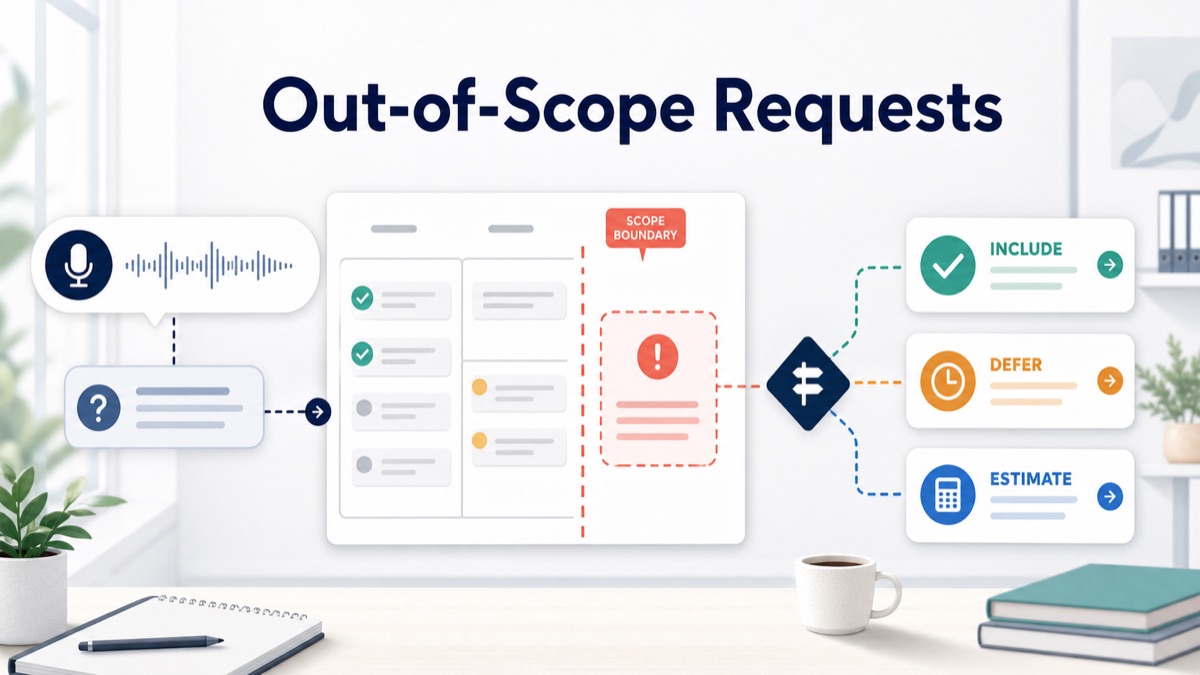
Out-of-scope client requests rarely arrive as formal change requests. They usually arrive as a friendly email, a quick voice note, a comment in a review tool or a line like “while you are in there, can we also add this?”
For agencies, consultants, creative studios and freelancers, the risk is not that clients ask for more. Healthy projects change. The risk is answering too quickly before the team has checked whether the request changes deliverables, timeline, budget, approval path or client responsibilities.
This guide gives you a practical response workflow, decision table, scripts, raw-request example, change-request template and FAQ for handling out-of-scope client requests without turning every clarification into another meeting.
Quick Answer
To respond to an out-of-scope client request, acknowledge the request, compare it with the agreed scope, explain the impact, then offer a clear choice: approve it as paid work, defer it to a later phase, or swap it for something already included.
An out-of-scope client request is any client ask that adds a deliverable, review round, stakeholder approval, dependency, timeline pressure or implementation work that was not included in the current agreement.
A scope change workflow is the operating record that turns a new request into a decision, estimate, deferral or tradeoff before the team starts work.
Use this short decision table before replying:
| Request type | What it changes | Best response |
|---|---|---|
| Small clarification | Meaning of existing work | Answer or include it |
| Included revision | Existing deliverable inside revision limits | Add to revision queue |
| New deliverable | Scope, budget or timeline | Estimate or defer |
| Extra review round | Approval process and effort | Confirm as add-on or swap |
| Missing client input | Ownership and schedule | Assign client action item |
| Rush request | Timeline and resourcing | Quote rush, reduce scope or move date |
For a product-led workflow, connect scope creep client intake, voice client intake, an AI client brief generator, async client feedback, voice feedback for agencies, and client voice notes to action items.
Why Out-of-Scope Requests Feel Hard
Out-of-scope requests are hard because they combine relationship pressure with commercial risk.
The client may not see the request as new scope. They may see it as an obvious improvement, a small tweak or a missing piece they assumed was included. The agency may want to stay helpful, avoid tension and keep momentum. That is how unpaid work enters the project quietly.
Atlassian’s scope creep guide defines the project risk clearly: work expands beyond the original plan without matching approval, time, budget or resources. In client service work, that expansion often starts with one polite sentence.
The fix is not a colder tone. The fix is a repeatable response that makes the decision visible before anyone starts work.
The Out-of-Scope Response Framework
Use this five-part structure whenever a client request might change the agreement.
1 | 1. Acknowledge the request. |
This keeps the conversation collaborative and protects the project record.
1. Acknowledge The Request
Start by showing that you understood the business reason.
1 | Thanks, that makes sense. I can see why adding the comparison section would help the page explain the offer more clearly. |
Do not start with “that is out of scope” unless the relationship already has a formal change process. Start with the value, then move to the boundary.
2. Restate The Agreed Scope
Bring the current agreement back into view.
1 | For this phase, the confirmed scope includes the homepage refresh, one pricing section update and two revision rounds. |
Atlassian’s scope of work guide is useful here because a scope of work should define deliverables, inclusions, exclusions, constraints and timelines. A client-friendly response uses the same structure in plain language.
3. Name What Changes
Be specific. “Out of scope” is less useful than naming the impact.
1 | The comparison section is a new content block, so it affects copy, design, implementation and review time. |
Scope clarification questions help agencies separate requested deliverables from assumptions before the team commits.
4. Offer Options
Give the client a decision, not a lecture.
| Option | When to use it | Client-facing wording |
|---|---|---|
| Include as paid add-on | The request adds value now | “I can estimate this as an add-on for the current phase.” |
| Defer to next phase | Useful, but not urgent | “We can park this for phase two and keep this launch moving.” |
| Swap scope | Budget or deadline is fixed | “We can add this if we remove or simplify another included item.” |
| Keep current scope | Request is not worth the tradeoff | “My recommendation is to keep this phase focused and revisit later.” |
Asana’s change control process guide frames changes as requests that should be assessed, approved or denied before implementation. Agencies can use a lighter version: request, impact check, options, decision and written confirmation.
5. Confirm In Writing
End with a written summary so the decision does not disappear into chat.
1 | Confirmed: we will keep the comparison section out of this phase and revisit it after launch. |
GitLab’s communication handbook emphasizes writing down conclusions after conversations. Client service teams need the same habit when spoken feedback or quick messages change the work.
Decision Table: Included, Clarification Or Change Request?
Use this table before turning a client ask into a task.
| Question | If yes | If no |
|---|---|---|
| Is the request already named in the scope? | Treat as included work | Continue checking |
| Does it clarify an existing deliverable? | Ask one focused question if needed | Continue checking |
| Does it add a new page, asset, feature, option or analysis? | Treat as change request | Continue checking |
| Does it add another stakeholder or approval round? | Treat as approval risk | Continue checking |
| Does it require client input that was not planned? | Assign client dependency | Continue checking |
| Does it affect deadline, budget or resources? | Estimate, defer or swap | Treat as normal feedback |
A client change request is not a conflict. It is a decision about whether the project should change.
Raw Client Request To Structured Response
Here is a realistic before-and-after.
Raw Client Request
1 | The new homepage direction is looking good. Can we also add a comparison section against the old way of doing things? It should be quick, just a few bullets. Also, our founder wants to see one more hero concept before we decide. We still want to launch next Friday if possible. |
Structured Scope Read
| Client ask | Category | Why it matters | Next step |
|---|---|---|---|
| Add comparison section | New deliverable | Adds copy, design and review work | Estimate, defer or swap |
| “Just a few bullets” | Effort assumption | Client is guessing effort | Confirm production impact |
| Founder wants hero concept | Extra concept round | Changes approval path | Confirm add-on or final approver |
| Launch next Friday | Timeline constraint | More work without more time | Reduce scope, quote rush or move date |
Client-Ready Response
1 | Thanks, this direction makes sense. I can see why a comparison section could help explain the offer. |
This response protects the relationship because it agrees with the business intent while making the commercial decision explicit.
Scope Change Request Template
Use this when the client chooses to evaluate the extra work.
1 | Scope change request |
Keep the template short. The goal is to make the tradeoff easy to approve, not to create paperwork.
Response Scripts For Common Out-of-Scope Requests
Script 1: The Small Extra Deliverable
1 | That addition is useful, but it is not part of the current scope we confirmed. I can estimate it as a small add-on, or we can move it into the next phase and keep this milestone focused. |
Script 2: The “This Should Be Quick” Request
1 | It may be quick, but I want to check the production impact before committing. This changes [deliverable/review/timeline], so I will either confirm it fits the current scope or send a small add-on option. |
Script 3: The Extra Stakeholder Review
1 | Happy to include that perspective, but adding another reviewer can change the approval path. Can you confirm who has final decision authority for this round? |
Script 4: The Fixed Budget Request
1 | If the budget needs to stay fixed, we can swap scope. I can add [new request] if we remove or simplify [included item]. Otherwise I can price it separately. |
Script 5: The Urgent Late Request
1 | We can make this happen only if we adjust one constraint: scope, budget or timing. The clean options are a rush add-on, moving the deadline or deferring another item. |
These scripts work best when the project already has a written brief, scope summary or feedback record.
Best Workflow For Agencies, Consultants And Freelancers
Step 1: Capture The Client Request In Their Own Words
Do not paraphrase too early. Save the email, comment or voice note.
If the client has nuance, ask for a short voice note instead of another call. Voice feedback for agencies is useful when the client needs to explain why the request matters, what priority it has and whether it is a must-have or a nice-to-have.
Step 2: Turn The Request Into Scope Labels
Extract the request into:
- requested change;
- affected deliverable;
- owner;
- deadline;
- approval owner;
- client dependency;
- scope status;
- recommended option.
This is where VocalJet fits the workflow. The client records a voice note, then the team can use VocalJet to turn the recording into a transcript, summary, scope risks, action items and follow-up-ready text.
Step 3: Compare Against The Brief
Use the current brief, proposal or statement of work as the reference point.
If the project started with voice client intake, the team should already have a structured summary of goals, deliverables, assumptions and open questions. If not, use the new request as a reason to rebuild the brief before more work starts.
An AI client brief generator turns spoken client context into structured goals, deliverables, constraints, risks and next steps.
Step 4: Send A Scope Choice, Not A Rejection
Most clients respond better to choices than to a blunt no.
Use this format:
1 | We can do this in one of three ways: |
This turns the conversation from permission into prioritization.
Step 5: Convert The Decision Into Action Items
Once the client chooses, turn the decision into tasks.
Asana’s action items guide is helpful because strong action items clarify who owns the task, what happens, when it is due and why it matters.
| Decision | Agency action item | Client action item |
|---|---|---|
| Approve add-on | Send estimate and revised timeline | Approve change request |
| Defer | Add to phase-two backlog | Confirm it is not launch-blocking |
| Swap scope | Update task list and brief | Choose what gets removed |
| Keep current scope | Continue delivery plan | Confirm no change |
Client voice notes to action items is the product path when the request arrives as spoken context and needs to become owners, deadlines, scope labels and follow-up text.
How VocalJet Fits This Workflow
VocalJet is useful when out-of-scope requests arrive as voice notes, async feedback or scattered client context that needs structure before the team replies.
Instead of scheduling another call, the agency can ask the client to explain the request by voice. VocalJet helps turn that recording into a transcript and summary, then the team can organize it into scope labels, open questions, action items and a client-ready response.
Use VocalJet when:
- the request is too vague for a direct yes or no;
- the client needs to explain priority and context;
- the agency needs a written record before estimating;
- feedback may become a paid scope change;
- the next step should become a clear follow-up email.
Async client feedback helps agencies collect richer revision context without scheduling another meeting. It becomes commercially useful when the team converts that context into a scope decision before doing the work.
FAQ
What is an out-of-scope client request?
An out-of-scope client request is any ask that adds or changes deliverables, review rounds, stakeholders, dependencies, timeline, budget or implementation work outside the current agreement.
How do you politely say a client request is out of scope?
Politely say a request is out of scope by acknowledging the value, restating the agreed scope, naming the impact and offering options: estimate it, defer it or swap it for existing scope.
Should every out-of-scope request become a paid change request?
No. Small clarifications may fit the current work, but requests that add deliverables, effort, approval rounds, timeline pressure or specialist work should become a paid change request, a deferral or a scope swap.
How can agencies avoid sounding defensive about scope?
Agencies can avoid sounding defensive by framing scope as a decision system. Instead of saying no, explain the tradeoff and give the client a clear choice between budget, timeline and deliverables.
Can voice notes help with scope change requests?
Voice notes can help with scope change requests when the client needs to explain why the new request matters. The agency should still convert the voice note into a written summary, scope label and confirmed next step.
How does VocalJet help with out-of-scope requests?
VocalJet helps with out-of-scope requests by turning client voice notes and async feedback into transcripts, summaries, scope risks, action items and follow-up-ready text the agency can confirm in writing.