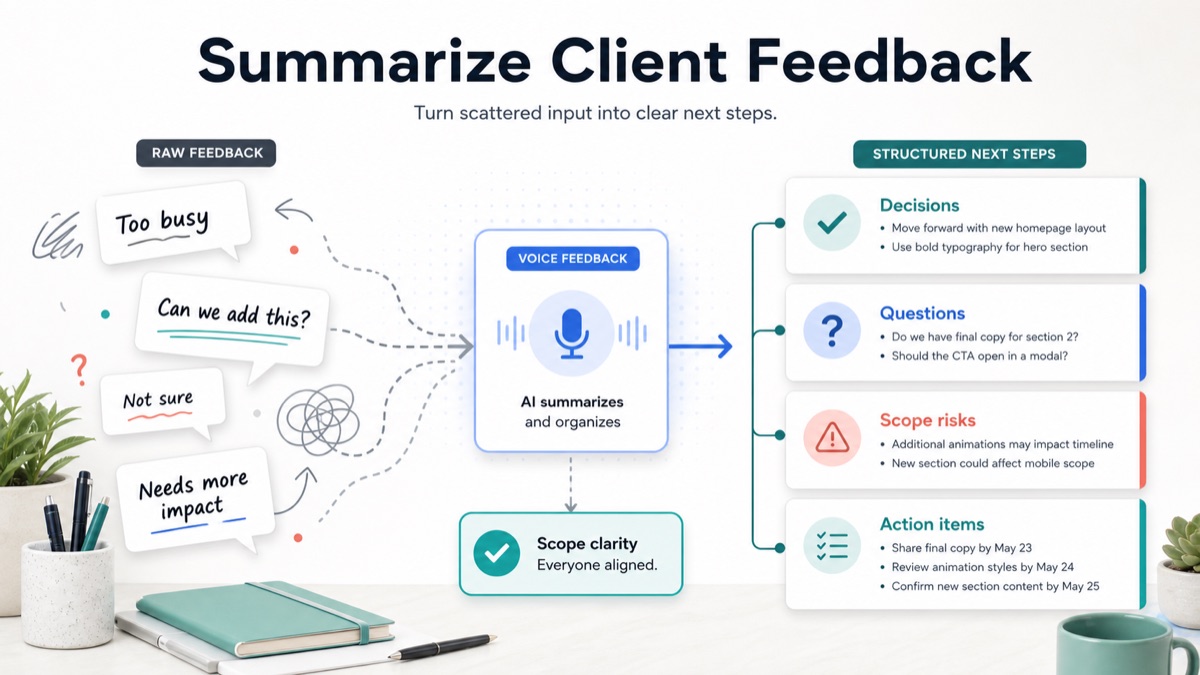
Client feedback often arrives as scattered comments: a voice note, a Loom reply, a Figma comment, an email thread, a Slack screenshot and one stakeholder saying “not quite there yet.” If the agency turns that noise directly into tasks, the team can waste hours acting on opinions that are not decisions, requests that are actually scope changes and comments that need clarification before anyone should start work.
For agencies, consultants, studios and freelancers, the useful output is not a longer transcript. The useful output is a short feedback summary that separates decisions, open questions, scope risks and action items so the client can confirm what happens next.
This guide gives you a practical workflow, feedback summary template, decision table, raw-feedback example and FAQ for turning client feedback into next steps without scheduling another meeting.
Quick Answer
To summarize client feedback into next steps, group the raw comments by theme, separate decisions from opinions, label scope risks, identify open questions, then turn only confirmed work into action items with owners and deadlines.
A client feedback summary is a structured recap that turns raw client comments into decisions, questions, risks and next steps the agency can act on.
Client feedback to action items is the workflow of converting review comments into specific tasks with an owner, deadline, scope status and expected outcome.
| Feedback output | Meaning | Agency action |
|---|---|---|
| Decision | Client has approved or chosen something | Move work forward |
| Action item | A specific task needs to happen | Assign owner and due date |
| Open question | Missing context blocks the next step | Ask for clarification |
| Scope risk | Comment may add work or change agreement | Label before acting |
| Preference | Subjective opinion without decision weight | Confirm whether it matters |
For a product-led workflow, connect async client feedback, an async client feedback tool, voice feedback for agencies, client feedback to action items, client voice notes to action items, scope creep client intake, and Loom alternative client feedback.
Why Feedback Summaries Matter
Raw feedback is not the same as next steps.
Raw feedback preserves what the client said. A feedback summary explains what the agency should do with it.
The problem usually appears after a review round:
- comments are spread across tools;
- multiple stakeholders disagree;
- some comments are opinions, not decisions;
- one request changes the original scope;
- nobody knows which issue blocks delivery;
- the client expects movement but has not confirmed priority;
- the team starts tasks before dependencies are ready.
Asana’s guide to action items is useful because strong action items clarify who is responsible, what needs to happen, when it is due and why it matters. Client feedback needs the same structure before it becomes work.
The Feedback Summary Template
Use this template after every review round.
1 | Client feedback summary |
The goal is not to summarize every sentence. The goal is to produce a usable operating record.
Decision Table: Comment, Decision, Question Or Scope Risk?
Use this table before assigning tasks.
| Raw feedback type | Example | Classification | Next step |
|---|---|---|---|
| Clear approval | “This layout works” | Decision | Mark direction approved |
| Clear task | “Use the shorter headline” | Action item | Assign copy update |
| Vague reaction | “It feels flat” | Open question | Ask what feels flat and why |
| New request | “Can we add a pricing section?” | Scope risk | Confirm if included or add-on |
| Conflicting comments | “Sales likes it, leadership does not” | Open question | Identify final approver |
| Missing asset | “We will send screenshots later” | Dependency | Assign client asset owner |
Async client feedback helps agencies collect richer revision context without scheduling another meeting. The summary step makes that context useful for delivery.
Raw Feedback To Structured Next Steps
Here is how to turn scattered feedback into a usable agency output.
Raw Client Feedback
1 | The hero feels too busy. I like the stronger CTA, but sales thinks the offer is still unclear. |
Structured Feedback Summary
| Section | Output |
|---|---|
| Main theme | The page needs clearer positioning and stronger trust before launch |
| Confirmed decision | Keep the stronger CTA direction |
| Action item | Simplify the hero layout and shorten mobile copy |
| Open question | What part of the offer is unclear to sales? |
| Client dependency | Customer quotes due later this week |
| Scope risk | New comparison section may be outside the current revision scope |
| Recommended next step | Send two options: launch-safe proof block vs add-on comparison section |
Action Items
| Action item | Owner | Scope status | Due |
|---|---|---|---|
| Simplify hero layout | Agency | Included revision | Next draft |
| Shorten mobile hero copy | Agency | Included revision | Next draft |
| Clarify sales objection | Client | Open question | Before next draft |
| Send customer quotes | Client | Dependency | This week |
| Decide on comparison section | Client + agency | Potential add-on | Before estimate |
The structured output prevents the team from treating every sentence as equal.
Best Workflow For Agencies, Consultants And Freelancers
Step 1: Preserve The Raw Feedback
Keep the original comments attached to the asset, email or voice note.
Do not rewrite the feedback first. You need the original wording to catch nuance, emotion and uncertainty.
Step 2: Extract The Signal
Read the feedback once for meaning, not tasks.
Look for:
- repeated themes;
- explicit approvals;
- explicit changes;
- unclear reactions;
- new requests;
- hidden dependencies;
- stakeholder conflicts;
- deadline pressure.
This keeps the summary from becoming a generic paraphrase.
Step 3: Label Scope Before Tasks
Before creating tasks, label each meaningful comment.
| Label | Meaning | Example |
|---|---|---|
| Included | Fits the agreed revision scope | Shorten hero copy |
| Clarification | Needs client answer | What does “premium” mean here? |
| Dependency | Client must provide input | Customer quotes |
| Decision | Client must choose direction | Proof block vs comparison section |
| Scope risk | May add work | New comparison section |
Scope clarification questions help agencies separate requested deliverables from assumptions before acting on feedback.
Step 4: Turn Only Confirmed Work Into Action Items
Asana’s action items template frames action items around owners, deadlines and tracking. For client feedback, that structure matters because a vague task like “fix the page” does not tell the team what to do next.
Write action items with four parts:
| Field | Question | Example |
|---|---|---|
| Task | What needs to happen? | Simplify hero layout |
| Owner | Who is responsible? | Agency designer |
| Scope status | Is it included or new? | Included revision |
| Due | When is it needed? | Next draft |
If the scope status is unclear, it is not ready to be an action item.
Step 5: Send The Confirmation Summary
Send the client one concise recap.
1 | Here is the feedback summary I will work from: |
That summary gives the client a chance to correct the interpretation before the agency spends delivery time.
When To Use Voice Feedback
Use voice feedback when the client has nuance but cannot write a clean explanation.
Voice feedback is useful when:
- the client says “I do not know how to explain it”;
- several stakeholders disagree;
- the comment is emotional or subjective;
- the requested change may affect scope;
- a written comment would become a long email;
- you need context, not just a task.
Atlassian’s Loop guidance on paying attention to feedback emphasizes matching feedback to the phase of work. Agencies can apply the same idea by asking clients whether feedback is exploratory, directional, approval-level or implementation-ready.
How VocalJet Fits This Workflow
VocalJet is useful when client feedback arrives as voice notes, async review comments or scattered context that needs structure before the team can act.
Instead of asking the client for another meeting, the agency can collect a short voice response. VocalJet helps turn that spoken feedback into a transcript and summary, then the agency can organize it into decisions, questions, scope risks, action items and follow-up-ready text.
That makes VocalJet a fit when:
- feedback is too vague for direct tasks;
- the client needs to explain nuance;
- multiple comments need to become one summary;
- a revision may affect scope;
- the next step should be clear enough to assign.
Atlassian’s guide to Kanban principles notes that feedback loops support continuous improvement. For client service work, the feedback loop is only useful when feedback turns into visible next steps.
FAQ
How do you summarize client feedback?
Summarize client feedback by grouping comments into themes, separating decisions from opinions, identifying open questions, labeling scope risks and converting confirmed work into action items.
What should a client feedback summary include?
A client feedback summary should include main themes, confirmed decisions, action items, open questions, scope risks, client dependencies and the recommended next step.
How do you turn client feedback into action items?
Turn client feedback into action items by writing each task with a clear owner, scope status, deadline and expected outcome. Do not turn unclear comments into tasks until the client confirms the missing context.
What is the difference between feedback and next steps?
Feedback is the client’s raw reaction or request. Next steps are the confirmed decisions, tasks, questions and dependencies that tell the agency what to do after the feedback.
When should an agency ask for voice feedback?
An agency should ask for voice feedback when the client has nuance, conflicting stakeholder input, subjective reactions or scope-sensitive comments that would be too thin in a written field.
How can VocalJet help summarize client feedback?
VocalJet lets clients explain feedback by voice and helps agencies turn that context into transcripts, summaries, decisions, scope risks, action items and follow-up-ready text.