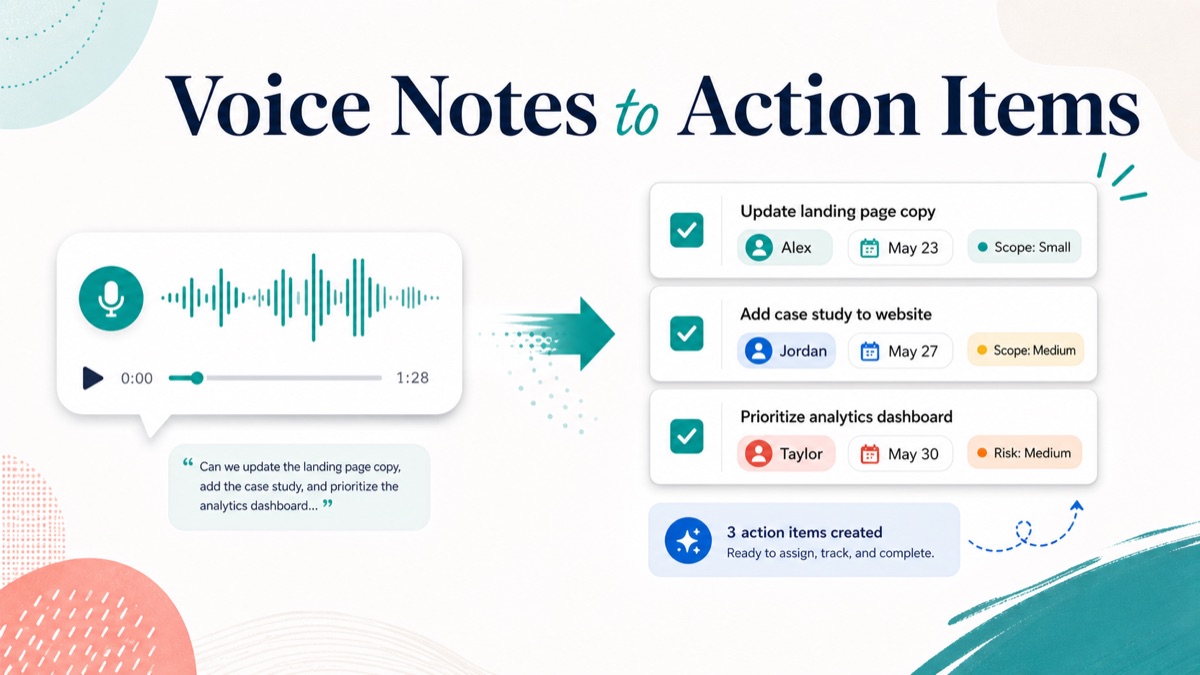
Client voice notes are useful because they capture tone, context and urgency faster than a long email. They are risky when the team treats the recording as the final output.
For agencies, consultants, freelancers and studios, the real work starts after the client stops talking. Someone has to decide what the client actually requested, who owns the next step, what needs a decision, what depends on the client, and what might change scope. Without that translation step, a helpful voice note becomes another piece of raw context the team has to replay later.
This guide shows how to turn client voice notes into action items without losing nuance. It includes a decision table, extraction template, raw voice note example, scope-risk labels, follow-up script and FAQ.
Quick Answer
To turn client voice notes into action items, transcribe the recording, summarize the client goal, extract each requested change or open question, then assign every next step an owner, deadline, dependency and scope label.
Client voice notes to action items is the workflow of converting spoken client context into specific tasks, decisions, open questions, scope risks and follow-up-ready text. The useful output is not a transcript alone. The useful output is a task list your team can assign and a summary the client can confirm.
Use this table after every client voice note:
| Voice note signal | Extract into | Example output |
|---|---|---|
| “Can we add another section?” | Scope-sensitive request | Confirm whether new section is included |
| “Sales needs this by Friday” | Deadline | Final copy approval needed by Wednesday |
| “I am not sure which version works” | Decision | Client chooses direction A or B |
| “The product team also wants input” | Stakeholder risk | Add product lead as reviewer |
| “We already have screenshots” | Asset dependency | Client sends screenshot folder |
For a product-led workflow, connect client voice notes to action items, voice client intake, an async client feedback tool, an AI client brief generator, scope creep client intake, and a voice intake form.
Why Client Voice Notes Need Structure
A voice note is rich input. It is not a work plan.
Clients often speak in mixed layers:
- goals;
- requested changes;
- personal preferences;
- stakeholder concerns;
- deadlines;
- uncertainty;
- ideas for later;
- implied scope changes.
That is normal. The client is explaining the situation, not writing a production ticket.
Asana’s guide to action items frames useful action items around clear ownership, a specific task and timing. That matters for client voice notes because spoken feedback often includes the reason, but not the exact execution step.
GitLab’s handbook on asynchronous communication emphasizes written documentation and reducing reliance on synchronous clarification. For client services, the same principle applies: if a voice note is not converted into a written record, the team is still dependent on memory, replaying audio or asking for another call.
Voice client intake is a workflow where clients explain project context asynchronously by voice. The agency’s job is to turn that context into structured goals, constraints, risks and next steps.
The Action Item Extraction Template
Use this template whenever a client voice note contains feedback, intake context or a project update.
| Field | What to capture | Why it matters |
|---|---|---|
| Source | Voice note link, date and client name | Keeps the task connected to context |
| Client goal | What the client is trying to achieve | Prevents task lists from losing the reason |
| Requested action | The exact change, decision or follow-up | Converts speech into execution |
| Owner | Client, agency, consultant or named person | Avoids “someone should” tasks |
| Deadline | Due date or timing constraint | Prevents open-ended follow-up |
| Dependency | Asset, access, approval or input needed | Shows what could block progress |
| Scope label | Included, unclear, out of scope or later | Protects margin |
| Confirmation text | What you will send back to the client | Creates a shared record |
Client notes to tasks should never stop at a transcript. A transcript tells you what was said. An action-item workflow tells you what happens next.
Raw Voice Note To Action Items Example
Here is a realistic example from a web project.
Raw Client Voice Note
1 | Hey, I looked at the homepage draft. It is much clearer, but I think the proof section still feels light. We have two customer quotes in the sales deck, so maybe use one of those. Also, the CEO asked whether we can add a short comparison section against the old process. I do not know if that was included. We need something ready for the partner demo next Friday. I can send screenshots later today, but I need Jordan to approve the final copy. |
Structured Action Items
| Extracted item | Type | Owner | Deadline | Scope label |
|---|---|---|---|---|
| Review two customer quotes from sales deck | Asset request | Client | Today | Included |
| Choose one proof quote for homepage | Decision | Client | Before revision starts | Included |
| Update homepage proof section | Task | Agency | Next revision | Included |
| Evaluate comparison section against old process | Scope question | Agency | Before promising work | Unclear |
| Confirm whether comparison section is included | Decision | Client and agency | Before revision starts | Scope risk |
| Prepare demo-ready homepage revision | Delivery task | Agency | Next Friday | Included if dependencies arrive |
| Jordan approves final copy | Approval dependency | Client | Before final delivery | Included |
Follow-Up Summary
1 | Thanks for the voice note. Here is the action plan I captured: |
This is the conversion step. The team no longer has a raw audio note. It has tasks, decisions, dependencies and a scope checkpoint.
Decision Table: Task, Question, Decision Or Scope Risk?
Not every sentence in a voice note should become a task.
| Client phrase | Do not write | Write instead |
|---|---|---|
| “It needs to feel stronger” | Make it stronger | Ask client what stronger should signal: proof, clarity, authority or urgency |
| “Can we add another page?” | Add page | Confirm whether new page is included or requires a separate estimate |
| “The team is split” | Revise based on mixed feedback | Ask for one final decision owner |
| “We can send files later” | Wait for files | Create client action item for file delivery date |
| “We need this for Friday” | Finish by Friday | Confirm which deliverables must be ready and what approval is needed |
| “Maybe this is phase two” | Add to backlog | Label as later-phase idea and exclude from current scope until approved |
Scope clarification questions help agencies separate requested deliverables from assumptions before proposal, kickoff or revision work. When a client voice note includes a possible new deliverable, treat it as a scope signal before treating it as a task.
Best Workflow For Agencies, Consultants And Freelancers
Step 1: Capture The Voice Note In One Place
Do not let context split across voicemail, chat, email and meeting notes. Use one intake or feedback link when possible.
With VocalJet, a client can record a voice note without creating an account. Your team can review the recording, transcript and summary instead of reconstructing context from scattered channels.
Step 2: Summarize The Goal Before Extracting Tasks
Start with the client goal:
1 | Client goal: Have a demo-ready homepage revision by next Friday that feels more credible to partners. |
This prevents task extraction from becoming mechanical. If the goal is credibility for a partner demo, the proof section and approval timing matter more than a minor visual preference.
Asana’s guide to a project brief is useful here because briefs connect work to goals, scope, audience, timing and ownership. Client voice notes should feed the same structure.
Step 3: Extract Five Output Types
Use five buckets:
| Output type | Definition | Example |
|---|---|---|
| Task | Work your team can do | Update proof section |
| Client action item | Input the client must provide | Send approved quote |
| Decision | Choice needed before work continues | Pick final testimonial |
| Dependency | Asset, access or approval required | Jordan approves copy |
| Scope signal | Request that may change effort | Add comparison section |
An AI client brief generator turns spoken client context into structured goals, constraints, risks and next steps. For action items, those next steps should be separated by owner and scope impact.
Step 4: Add Owner, Deadline And Scope Label
Action items fail when they are written as vague reminders.
Use this format:
1 | [Verb] [specific object] so [reason]. |
Example:
1 | Send the two customer quotes from the sales deck so the agency can update the homepage proof section. |
Step 5: Send A Confirmation Summary
Do not silently move action items into your internal project tool. Send the client a short interpretation summary first.
Atlassian’s project kickoff play focuses on alignment around purpose, roles, responsibilities and success. That alignment is not only for kickoff meetings. It also belongs after intake notes, revision notes and client voice feedback.
A confirmation summary gives the client a chance to correct your interpretation before your team starts work.
Voice Notes Vs Meeting Notes Vs Task Manager Tickets
Each format has a different job.
| Format | Best for | Weakness | Output needed |
|---|---|---|---|
| Client voice note | Fast context, tone, nuance and uncertainty | Raw audio is hard to assign | Transcript, summary and action items |
| Meeting notes | Shared discussion and stakeholder alignment | Often mix discussion with decisions | Decision log and task list |
| Task manager ticket | Execution tracking | Loses client context if created too early | Specific owner, due date and scope label |
| Follow-up email | Client confirmation | Too vague if it only says thanks | Recap, open questions and next steps |
The best workflow is not voice note or task manager. It is voice note to structured summary to confirmed action items to task manager.
VocalJet Workflow: From Client Voice To Follow-Up
VocalJet fits when clients have more context than they want to type.
The client records once. VocalJet helps turn the recording into a transcript, summary, structured brief, action items, scope risks and follow-up-ready email text. The agency can then review the output, adjust the scope labels and send a confirmation summary.
Use this workflow:
- Send the client a VocalJet voice link.
- Ask for one focused response: goal, requested change, deadline, dependencies and concerns.
- Review the transcript and summary.
- Extract tasks, decisions, dependencies and scope signals.
- Send a confirmation summary before moving work into delivery.
For client-facing teams, this is usually faster than scheduling another call and safer than asking the client to fill a long form.
Client Voice Note Prompt
Use this prompt when you want better action items from the start.
1 | Please record a short voice note and cover: |
This prompt does not force the client to write a brief. It gives them enough structure to speak naturally while still producing usable project context.
FAQ
How do you turn a client voice note into action items?
Turn a client voice note into action items by transcribing it, summarizing the goal, extracting requested work, separating open questions and assigning each next step an owner, deadline, dependency and scope label.
What is the difference between a transcript and action items?
A transcript records what the client said. Action items define what happens next, who owns it, when it is due and whether it affects project scope.
Can voice notes replace client meetings?
Voice notes can replace meetings when the goal is to collect context, feedback, requirements or follow-up details. Use a live meeting when the team needs negotiation, conflict resolution or real-time stakeholder alignment.
How do voice notes help prevent scope creep?
Voice notes help prevent scope creep when the team labels new deliverables, unclear requests and later-phase ideas before starting work. The spoken context often reveals assumptions that a short form answer would hide.
What should agencies do after extracting action items?
After extracting action items, agencies should send the client a confirmation summary, ask for missing decisions, label scope-sensitive requests and then move approved tasks into the delivery workflow.
How does VocalJet help with client voice notes?
VocalJet lets clients record voice notes asynchronously, then helps turn the recording into a transcript, summary, structured brief, action items, scope risks and follow-up-ready text.