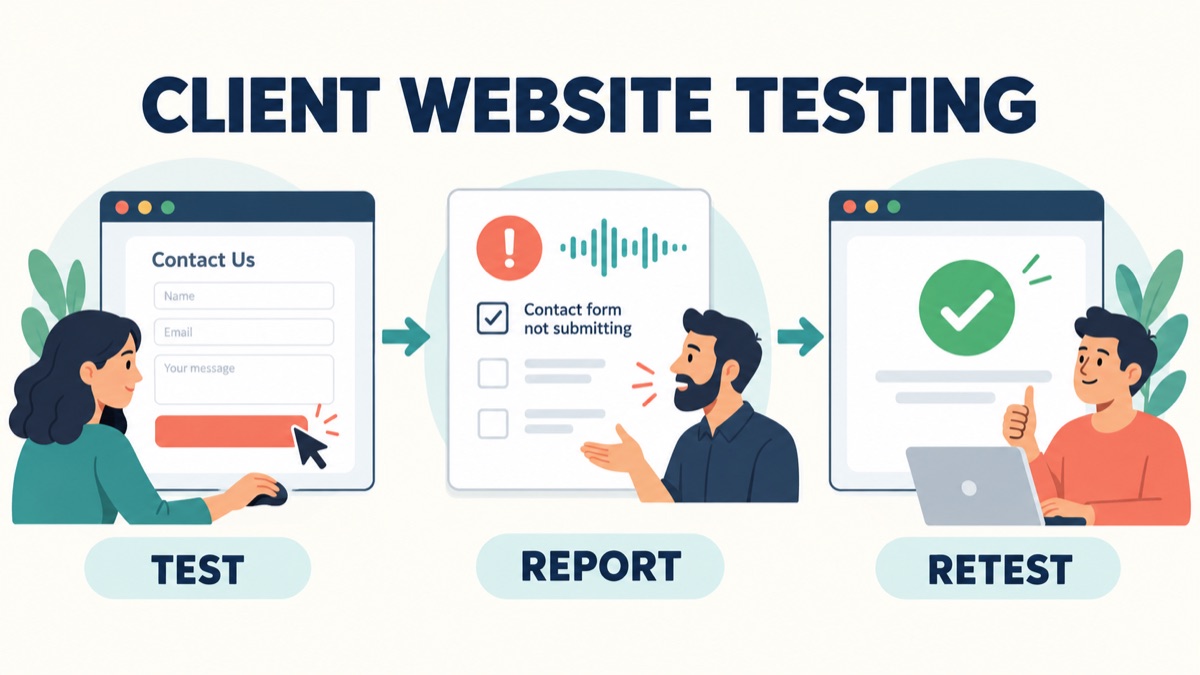
Your client opens the staging site and replies, “The form seems wrong, mobile feels broken, and could we add file uploads?” The agency now has three different problems hidden inside one comment. A developer cannot reproduce the first, the second needs a specific screen, and the third may change the agreed work. Another review call will help only if it produces better evidence.
This website UAT checklist is for web design agencies, creative studios and freelancers who need useful client feedback before launch. It gives clients concrete visitor tasks, a simple issue report and a way to explain business impact without technical vocabulary. A client can describe the failed journey by voice; VocalJet helps turn that explanation into a transcript, summary and next steps. Your team then checks the facts, attaches the relevant evidence and separates a fix from a new request before assigning work.
Quick Answer
Client website user acceptance testing, or UAT, checks whether agreed visitor tasks work as expected on a specified version of a website. Give the client a staging link, a short list of tasks, the expected result for each task and one place to report problems.
A useful website bug report separates what the client expected from what they actually observed. Ask for the page URL, device and browser, steps taken, visible result and business impact. Add a screenshot or short screen recording when it helps show the problem. Voice feedback can explain the sequence and why it matters; the agency still needs to verify the evidence.
Record each test as passed, failed, blocked or not run. Classify the related feedback against the agreed requirement before deciding whether it needs a fix, clarification, content correction or change assessment. A test that was not run has no passing result, even if nobody reported a problem.
| Client says | Information still needed | First agency action |
|---|---|---|
| “The enquiry form does not work” | URL, steps, visible result, test time | Reproduce the reported failure |
| “It breaks on my phone” | Phone, browser, orientation, affected element | Check that environment and journey |
| “This should send an email” | Agreed recipient and expected behavior | Compare expectation with the requirement |
| “Can visitors attach a document?” | Whether uploads are in the approved scope | Assess the requested behavior separately |
| “I could not access staging” | Access problem and test assignment | Mark blocked and restore access |
Prepare The Client Test Before Sending The Link
The agency should complete its own planned quality checks before asking the client to test. Client UAT adds knowledge of the business: whether an enquiry reaches the right team, a service description is accurate or a content editor can complete the agreed publishing task. It is not a substitute for the agency’s technical testing.
Modern Tribe’s client UAT guidance describes users testing against original requirements in a test environment, followed by review of fixes before deployment. For a smaller web project, you can apply that principle with a shared checklist and a clear testing window.
Before opening the review, confirm:
- Test version: the staging link, review date and version or release label. Tell clients when that version changes.
- Expected behavior: the agreed visitor journeys and the reference for each one, such as an approved requirement or design.
- Access and test data: working logins where needed, sample content and instructions for safely testing forms, bookings or purchases.
- Environment limits: which browsers and devices are in the agreed test plan, plus anything deliberately disabled on staging.
- Ownership: who tests each journey, who investigates reports and who makes the launch decision.
- Review window: when reports are due and how much time remains for fixes and retesting.
If outbound email is disabled on staging, state that before testing. Otherwise, “no email arrived” may be mistaken for a defect. Agree how the team will verify that requirement in an appropriate environment instead.
Use the existing website project brief to recover the agreed goals and deliverables. Resolve missing acceptance criteria before testing starts; a developer should not have to invent the expected result after receiving a failure report.
Website UAT Checklist To Give Your Client
Start with the visitor journeys that matter to this website. The following rows are a reusable starting point, not a complete technical QA plan. Remove features that are outside the project and replace the example outcomes with agreed ones.
| ID and client task | Example expected result | What to record if it fails |
|---|---|---|
| U1: Find a service from the homepage | The agreed menu path reaches the correct service page | Starting page, links selected and destination |
| U2: Request a consultation | Required fields can be completed and the agreed confirmation appears | Form URL, field conditions, steps and visible response |
| U3: Check enquiry delivery | The test enquiry reaches the designated test recipient | Submission time, test reference and recipient checked |
| U4: Use the main journey on an agreed phone/browser | The visitor can open navigation, read content and use the primary action | Device, browser, orientation and obstructed element |
| U5: Check business content | Service names, contact details and approved claims match the supplied content | Page section and correct replacement wording |
| U6: Open a download or external booking link | The agreed document or destination opens | Link label, destination and observed error |
| U7: Edit a standard page, if CMS editing is included | The assigned editor can update, preview and publish using the agreed process | Editor role, page, action and error message |
| U8: Complete a purchase or booking, if included | The agreed test transaction and confirmation complete | Test scenario, transaction reference and failed step |
For every row, add an assigned tester, environment, result and linked issue ID. Use approved test accounts and data. Keep real customer information out of shared examples and screenshots.
Separate the visible form confirmation from delivery to the business. These are different checks: a success message does not prove that the intended recipient received the enquiry. Likewise, an inbox containing a message does not prove every form field or mobile interaction worked.
Ask clients to finish the journey, not just inspect the page. “I tapped Request a consultation, entered the test details and could not reach confirmation” gives the agency a much better starting point than “the contact page looks fine.”
A Website Bug Report Template Clients Can Actually Use
Mozilla’s bug-writing guidelines recommend separate reports for separate issues, precise reproduction steps and a clear distinction between expected and actual behavior. The template below adapts those principles to a client review; clients do not need to diagnose the code.
1 | ISSUE TITLE: [What happened and where] |
Let clients write “unknown” instead of guessing a browser version or a technical cause. A clear unknown is easier to resolve than a confident but incorrect detail. If the problem happened once, preserve the timestamp and observations; do not quietly turn “once” into “always.”
When explanation is easier than typing, offer voice feedback for agencies with this prompt:
Tell us which page you were on, what you were trying to do, the steps you took, what you expected and what happened instead. Then explain who this affects. If you also have a new feature idea, describe it separately.
Keep the page link and visual evidence alongside the report in the agreed project record. A spoken explanation can describe a hidden menu; a screenshot can show the overlap. Each contributes different evidence.
Is It A Bug, A Content Correction Or A Change Request?
The client’s wording is a report of their experience, not a final classification. Compare it with the agreed behavior and investigate before assigning the category. A new request may be valuable, and a small-looking defect may block an important journey.
| Evidence after review | Working classification | Next step |
|---|---|---|
| Agreed behavior fails in the agreed environment | Defect candidate | Reproduce, assess impact and plan the correction |
| Approved copy differs from the page | Content correction | Confirm the source and responsible editor |
| Expected behavior is missing or ambiguous in the project record | Clarification needed | Resolve the expectation with the client |
| Client asks for behavior beyond the agreed requirement | Change candidate | Assess scope, effort and timing before committing |
| Staging access or a test dependency prevents the check | Blocked test | Resolve the dependency, then run the test |
| Report describes the same failure as an existing issue | Possible duplicate | Link the evidence and check for a distinct cause |
Classification and launch priority are separate decisions. For example, a broken primary enquiry journey may require resolution before launch, while a minor content correction may have an agreed later date. The team and client should decide using business impact, the release plan and any workable alternative; the reporter’s use of “urgent” is not enough on its own.
Do not automatically label an unexpected behavior as extra scope because the requirement is hard to find. First resolve what was agreed. The same scope clarification principles used during intake help expose assumptions during testing.
When the request really changes the deliverable, route it through the client change request workflow. That creates a separate decision about the new feature while the agency continues investigating the original failure.
Before And After: A Client Voice Note Becomes Two Review Records
Consider this fictional voice note from a client reviewing a consultancy website:
“I’m on my iPhone in Safari, on the staging demo page you sent this morning. I filled the required fields and tapped Request demo. The button kept spinning and I never saw a confirmation. I tried once. I haven’t checked the test inbox yet. Also, could people attach their current proposal? It would save our sales team a step.”
The agency already has an approved requirement for a confirmation message and delivery to a test sales inbox. File attachments are not in that requirement. The useful output is an issue needing investigation plus a separate enhancement request.
Record 1: Investigate The Missing Confirmation
| Field | Reviewed record |
|---|---|
| Test | U2: submit a demo request |
| Observation | Button continued spinning; client saw no confirmation |
| Known environment | iPhone, Safari, staging demo page; exact versions still unknown |
| Known steps | Client filled required fields and tapped Request demo once |
| Expected behavior | Show the agreed confirmation after a valid submission |
| Evidence missing | Exact page link, test time, field conditions and screenshot if available |
| Repeatability | One attempt reported; not yet reproduced by agency |
| Related check | U3 email delivery is not run by this tester; inbox outcome unknown |
| Initial action | Agency QA owner collects missing details and attempts reproduction |
The record deliberately avoids “email failed” and “Safari bug.” Neither conclusion is supported by the voice note. The missing confirmation could have several causes; investigation determines which one applies.
Record 2: Assess A File-Attachment Request
1 | Request: Let prospects attach an existing proposal. |
A client voice note to action items workflow helps surface these separate next steps. A person still verifies the transcript, checks the scope reference and copies the reviewed actions into the project tracker.
Send a focused clarification rather than another general request for feedback:
1 | Thanks — we have separated the form issue from the attachment idea. |
Best Workflow For Web Agencies And Freelancers
Use one shared test checklist and one issue record per distinct problem. That can live in the team’s existing tracker or shared document. The important connection is from test, to evidence, to reviewed action, to retest result.
First, make the review executable. Assign journeys to the people who understand them. A sales contact can verify enquiry routing; a content owner can verify service descriptions. Give each tester the same version reference and the relevant expected outcomes.
Second, offer a simple reporting route. Clients can write in the report template or explain the problem through an async client feedback tool. With VocalJet, the client can use a shared voice link, and the team can review the transcript, summary, scope signals, action items and follow-up text. Keep screenshots and technical evidence in the agreed project location and link them manually.
Third, review before assigning fixes. An agency owner checks whether the report is specific enough to reproduce, separates new requests and identifies missing information. Do not turn every extracted action into development work: “confirm the test browser” is an investigation task, while “add uploads” still needs a scope decision.
Fourth, return a precise retest request. Tell the tester which issue changed, where to test it and which version contains the correction. Keep unrelated enhancements out of that request so the client knows what outcome to check.
Finally, collect an explicit release decision. Summarize test coverage and unresolved issues for the authorized client contact. Use the established client approval workflow to record the decision against the reviewed version.
Here is a client testing invitation you can adapt:
1 | Subject: [Project] website testing — [version], review by [date] |
Retest The Fix Before Closing The Test
“Fixed” describes the agency’s action. A passing retest records what happened when the relevant scenario was tried again on the corrected version. Keep those events separate in the issue history.
Repeat the original steps, record the observed outcome and check the directly affected journey. For the demo example, verify the confirmation and the agreed delivery destination as separate results. If a correction changes shared navigation, the agency should also check the other affected paths in its QA plan.
Use a compact closure record:
1 | Issue ID: |
If access prevents retesting, record blocked. If the tester has not returned, record not run. If the problem persists, reopen the issue with the new evidence. Those distinctions stop a quiet inbox from being mistaken for a completed review.
Before the launch decision, show which agreed scenarios passed, which remain untested and which issues are unresolved. Client UAT covers the recorded business scenarios and version; it does not establish that every technical, accessibility, security or performance check has passed. Those checks remain part of the appropriate delivery work.
FAQ
What Is A Website UAT Checklist For Clients?
A website UAT checklist gives clients agreed visitor or business tasks to test before release. Each task needs an expected result, a tester, a test environment and a recorded outcome, with issue evidence linked when something fails.
How Is Client UAT Different From Agency QA?
Agency QA checks the implementation through the team’s technical test plan. Client UAT checks agreed business scenarios with people who understand the client’s work. Both contribute to release readiness, and client testing does not replace the agency’s quality checks.
What Should A Client Include In A Website Bug Report?
Include the exact page URL, site version or test date, device and browser, steps taken, expected result, actual result and business impact. Add useful visual evidence and say whether the issue happened once or repeatedly. Mark unknown details instead of guessing.
Can Clients Report Website Problems By Voice?
Yes. A voice note can explain the task, sequence, observed problem and business impact. VocalJet helps turn it into a transcript, summary and action items. The agency must verify the details and connect the note to page links, visual evidence and the test record.
Is A New Feature Requested During UAT A Bug?
Compare the request with the agreed requirement before classifying it. Failure to meet agreed behavior may be a defect; additional behavior may need a change assessment. When the expected behavior is unclear, resolve that ambiguity with the client before promising a fix or treating it as extra scope.
How Long Should Clients Have For Website UAT?
Agree a review window based on the number of journeys, tester availability, project complexity and time needed for corrections and retesting. There is no universal duration. State the reporting deadline and the launch decision process before the review begins.