
What should change?
Short answer
Agency feedback software is useful only if the team can distinguish a comment from a decision. Use VocalJet for voice messages and transcripts, then record conflicts, approval and task ownership in your project workspace. A shared recording is source context, not an approval tracker.
Fictional worked example · editorial illustration, not captured app output
Raw input to structured output
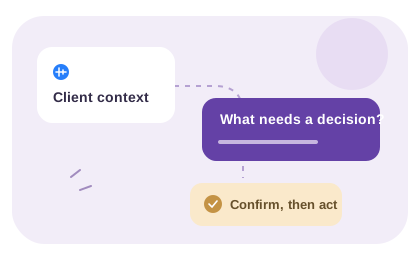
Raw client context: The page feels too technical. Sales wants the hero to be clearer before the demo campaign, but product still needs to approve the claims.
Keep the audience goal and the claim-approval dependency together. Changing the copy before resolving that dependency can leave the team revising an unapproved message.
FieldStructured output
- Decision
- Make the hero clearer for sales-led prospects
- Constraint
- Product approval is still needed
- Scope risk
- Messaging changes may affect copy and layout
- Action item
- Confirm approved claims before revising the hero
Client feedback capture prompt
Use this prompt when feedback is too vague for a project comment:
Why does the change matter?
Which audience, stakeholder or outcome is affected?
Is this a correction, preference, new request or scope change?
What decision should we make before the next revision?
From comments to approval
Resolve stakeholder decisions before handoff
An agency needs to know who can decide, not only who has commented. Keep the source, conflicting directions and approval dependency together before passing accepted revisions to delivery.
Define who comments and who approves
Several people may give useful feedback, but their comments do not necessarily carry the same authority. Ask the client to identify the final approver and to distinguish personal preference from an agreed requirement.
Collect each explanation with the version being reviewed. If one stakeholder wants more detail and another wants a shorter page, record the conflict for a decision. Do not present an automatically combined set of comments as an approved direction.
Turn the review into a delivery handoff
The account owner checks the recording and transcript, identifies the requested change and asks whether it is covered by the agreement. Then the delivery lead confirms the task, owner and acceptance check in your project workspace.
Keep a link to the original feedback and record the approval separately. Voice messages and transcripts support that handoff, but VocalJet is not being presented here as a proofing canvas, version-control system or automatic approval tracker. Use those tools alongside voice when the work requires them.
Manual escalation note: “[Stakeholder A] asks for [change]; [stakeholder B] asks for [conflicting change]. Decision needed from: [approver]. Delivery impact: [to review]. Status: waiting for direction.” After the conflict is resolved, use the action acceptance checklist before handing work to delivery.
Copy the review-record template
Version or page under review:
Source feedback:
Intended audience and outcome:
Exact wording or area to revisit:
Conflicting feedback:
Approval needed from:
Confirmed revision:
Open question:
Client feedback software vs comments and calls
The right feedback workflow depends on whether the team needs a point comment, a decision record or full client context.
Option
Email feedback
Best for
Small written revisions
Consider
Keep the version and decision request in the thread
Output
Notes that still need interpretation
Project comments
Best for
Point-specific asset feedback
Consider
Context outside the asset is often missing
Output
Useful local comments
Feedback meeting
Best for
Sensitive alignment and live decisions
Consider
Arrange a time and record the decisions
Output
Live discussion and agreed next steps
VocalJet voice feedback
Best for
Context-heavy client revision rounds
Consider
Best with a short prompt and summary review
Output
Recording and transcript for your review
Best use cases
-
Design agencies
Convert subjective feedback into decisions, examples and next actions.
-
Web studios
Turn page comments into scoped changes, questions and follow-up text.
-
Consultants
Collect stakeholder context between calls without losing nuance.
-
Freelancers
Clarify revision requests before doing unpaid extra work.
Common questions
How should an agency collect feedback from several stakeholders?
Request the version and reasoning from each contributor, then identify the final approver. Keep conflicting comments visible until that person resolves them. More responses do not automatically mean a clearer or approved direction.
Where should the agency record approval?
Keep approval status and who gave it in your existing project record. Link back to the relevant feedback where appropriate. A recording or transcript preserves a statement; it does not by itself establish approval authority.
Does VocalJet replace proofing or project-management software?
This workflow uses VocalJet for voice messages, replies and transcripts. Keep proofing tools for visual annotations and version review, and your project system for roles, approvals and task assignment when those capabilities are required.
What should the delivery handoff contain?
Include the version, source feedback, accepted revision, reason, scope status, decision owner and completion check. Leave unresolved direction visible instead of assigning a task that assumes the client has already agreed.

Create a voice workflow
Keep stakeholder comments separate from approval. Collect each explanation, identify the person who can decide and give delivery a reviewed revision record with clear ownership.