Test the whole feedback journey before choosing a tool: a client opens the link, records a response, and a reviewer checks the transcript and hands off the agreed work.
Turn revision feedback into decisions before adding tasks
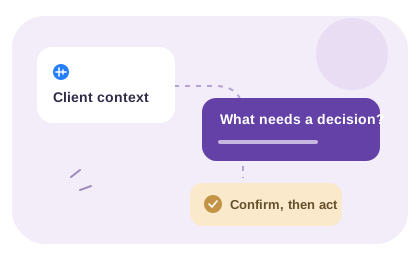
Separate an included revision, a new request and a question that needs an answer. Confirm the classification against your actual agreement.
Fictional revision example
The headline needs to be clearer. Can we also add a French version and connect the form to our new CRM? The founder needs to review everything before Friday.
A review checklist for the example
Client comment
Clearer headline+
Decision to make
Check whether copy revisions are included.
Next action
Ask what is unclear and propose revised wording.
French version+
Decision to make
Confirm whether translation and an extra page are in scope.
Next action
Estimate separately if the agreement excludes them.
New CRM connection+
Decision to make
Clarify the system, fields and access required.
Next action
Confirm technical work before promising a delivery date.
Founder review before Friday+
Decision to make
Confirm who can approve and when feedback is due.
Next action
Agree one review owner and a realistic deadline.
Suggested reply: “We can review the headline within the agreed revision round. We will confirm the French version and CRM work separately. Please confirm the review owner and deadline before we update the plan.” Adapt this wording to your agreement.
Follow a sample from the client’s invitation to the reviewer’s handoff. Check each transition and decide which requirements need the voice tool, your project workspace or another response format.
01
Trial the whole response journey
Use a non-sensitive draft and a real review question. Share a profile link for a new message or a recording link for a reply to your prompt. Check that the intended client can open the link, allow microphone access and send a response with a name; email is optional.
A useful trial includes someone who would prefer a written reply. If the task depends on a precise layout or a broken interaction, include a screenshot or screen walkthrough in the review material. Voice should explain the reasoning, not make the reviewer describe every pixel.
02
Check what happens after the response arrives
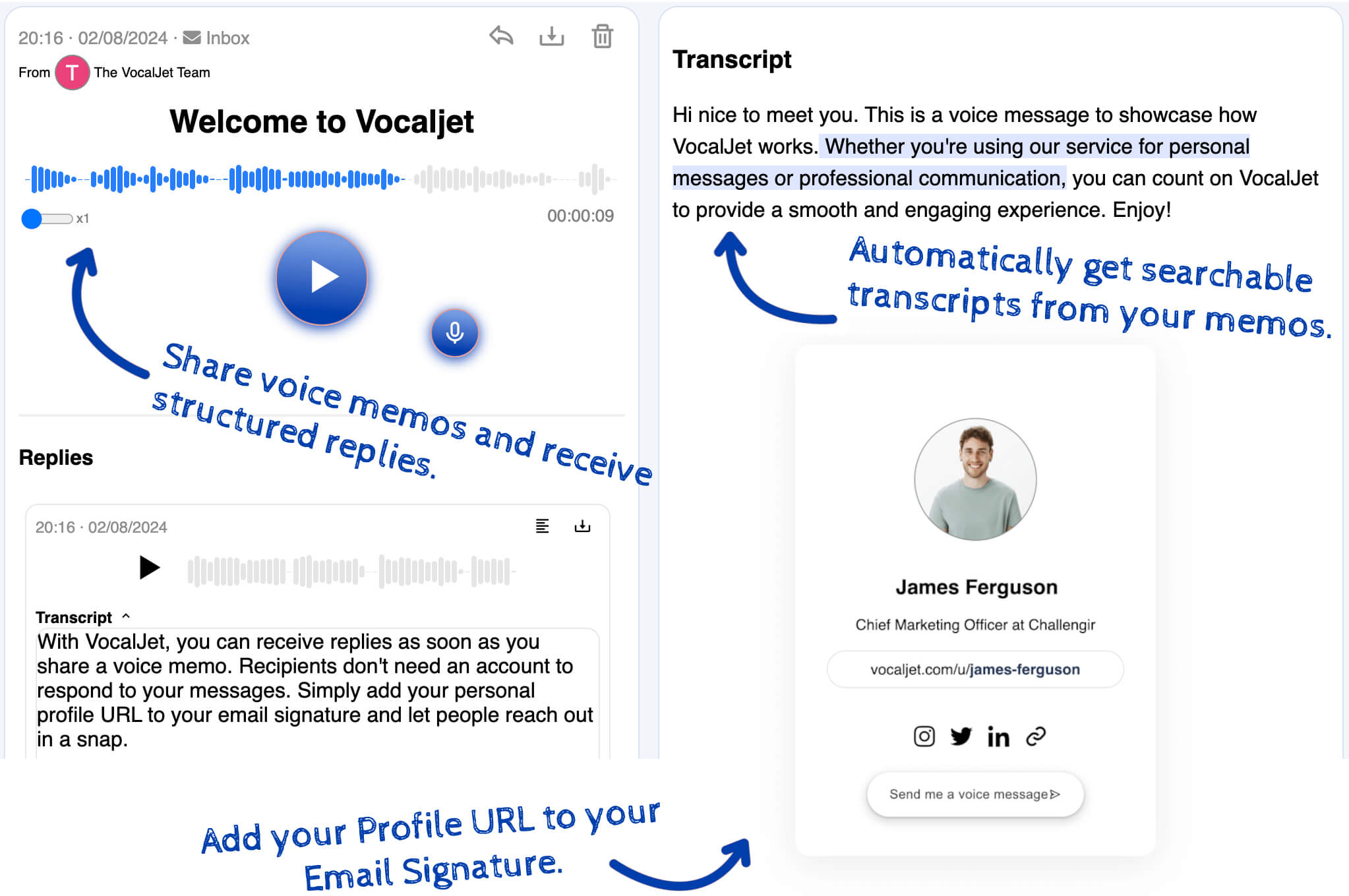
Play the recording, review the transcript and copy the relevant text. Ask whether the requested change, reason and remaining decision are clear enough for another teammate to understand. This is a practical acceptance check, not a promised accuracy or time-saving benchmark.
Put agreed tasks and approval status in the project tool you already use. The VocalJet workflow provides voice messages and transcripts; it does not automatically assign tasks or synchronize your project board. Choose a different or complementary tool if annotations, version comparison or approval routing are essential.
A practical trial record is: “Guest could respond: [result]. Reviewer could check the source: [result]. Meaning still unclear: [question]. Manual handoff destination: [workspace]. Missing capability: [requirement].” The bundled onboarding audio and saved transcript let you inspect a real app example; they are not a fresh accuracy benchmark or a substitute for your own trial.
Copy an async review request+
Please review: [version or reference]
The question we need answered: [one decision]
Already agreed: [constraints]
Still open: [questions]
Decision owner: [name to confirm]
Feedback requested by: [date]
We will confirm the delivery plan after the review.
Short answer
Evaluate a voice feedback tool from invitation through review, not only by its record button. Check guest access, a usable recording, transcript verification and the handoff to your existing project system. VocalJet supports voice messages and transcripts; approval routing and task assignment remain your process.
Async feedback vs meetings
Client feedback should be rich enough to act on without forcing every clarification into a live call.
Option
Email feedback
Best for
Small written comments
Consider
Keep the version and decision request in the thread
Output
Written comments to review
Status meeting
Best for
Live alignment with multiple stakeholders
Consider
Requires a time when the participants can meet
Output
Live discussion and a decision record you maintain
Project comments
Best for
Specific comments on files or tasks
Consider
Add the broader rationale when the comment needs it
Output
Good for point feedback
VocalJet voice feedback
Best for
Nuanced revision notes and project concerns
Consider
Best with a short prompt and summary review
Output
Voice recording and transcript for review
Best use cases
Design revisions
Capture tone, rationale and examples behind subjective creative feedback.
Website changes
Turn client comments into scoped action items and open questions.
Consulting updates
Let clients report context asynchronously before the next advisory session.
Stakeholder reviews
Collect feedback from busy stakeholders without another group meeting.
Workflow steps
01
Send a feedback link
Ask the client to explain what changed, what matters and what decision is needed.
02
Capture voice context
The client records feedback when it is convenient.
03
Convert feedback into actions
Review the transcript, identify questions and write a confirmation of the agreed changes.
Try a non-sensitive review question from invitation to guest response, playback, transcript check and manual handoff. Include the kind of client who will use it and keep a written response route available.
What does the guest need to send feedback?
+
A guest opens the shared link in a supported browser and permits microphone access. Sending asks for a name; email is optional and a VocalJet account is not required. Check this journey with the intended user before relying on it.
What is outside this voice-feedback workflow?
+
Do not assume on-canvas annotations, version comparison, approval routing or automatic task synchronization. Use a complementary tool when those are essential. VocalJet supplies recordings, replies and transcripts for your review.
Does the demo prove how accurately my client will be transcribed?
+
No. The bundled onboarding files show an existing recording and saved transcript. Fictional scenarios illustrate manual review. Neither is a measured benchmark for your client’s microphone, language, audio quality or project terminology.
Create a voice intake link
Test the whole feedback journey before choosing a tool: a client opens the link, records a response, and a reviewer checks the transcript and hands off the agreed work.