Loom alternative for client feedback


Use VocalJet when you need the client's reasoning, revision notes and next steps without asking them to record a screen video.

Loom Alternative for Client Feedback | VocalJet
VocalJet app preview


Short answer

Choose between Loom and VocalJet by what the reviewer must communicate: an exact visual moment, spoken reasoning, or both. Loom supports visual walkthroughs and feedback tied to moments in a recording. VocalJet provides voice-message links, replies and transcripts for reviewing spoken context.
Voice, screen or conversation

Choose the medium for what needs explaining

The right format depends on whether the reviewer must show a precise visual problem or explain the reasoning behind a request. More media is not always more useful context.

Keep visual feedback attached to the screen

Choose Loom when the reviewer needs to show the exact screen, cursor movement or visual sequence. Loom documents screen and camera recording modes and audio-only recording on mobile. It also supports comments tied to a moment in the recording. Audio is not exclusive to VocalJet.

Check Loom’s sharing settings: public videos can be watched without an account, while restricted videos require appropriate access. Comments on the Share page require sign-in; embedded-player commenting has different rules. Viewing access and commenting access are separate decisions.

Use a voice response for the reason behind a change

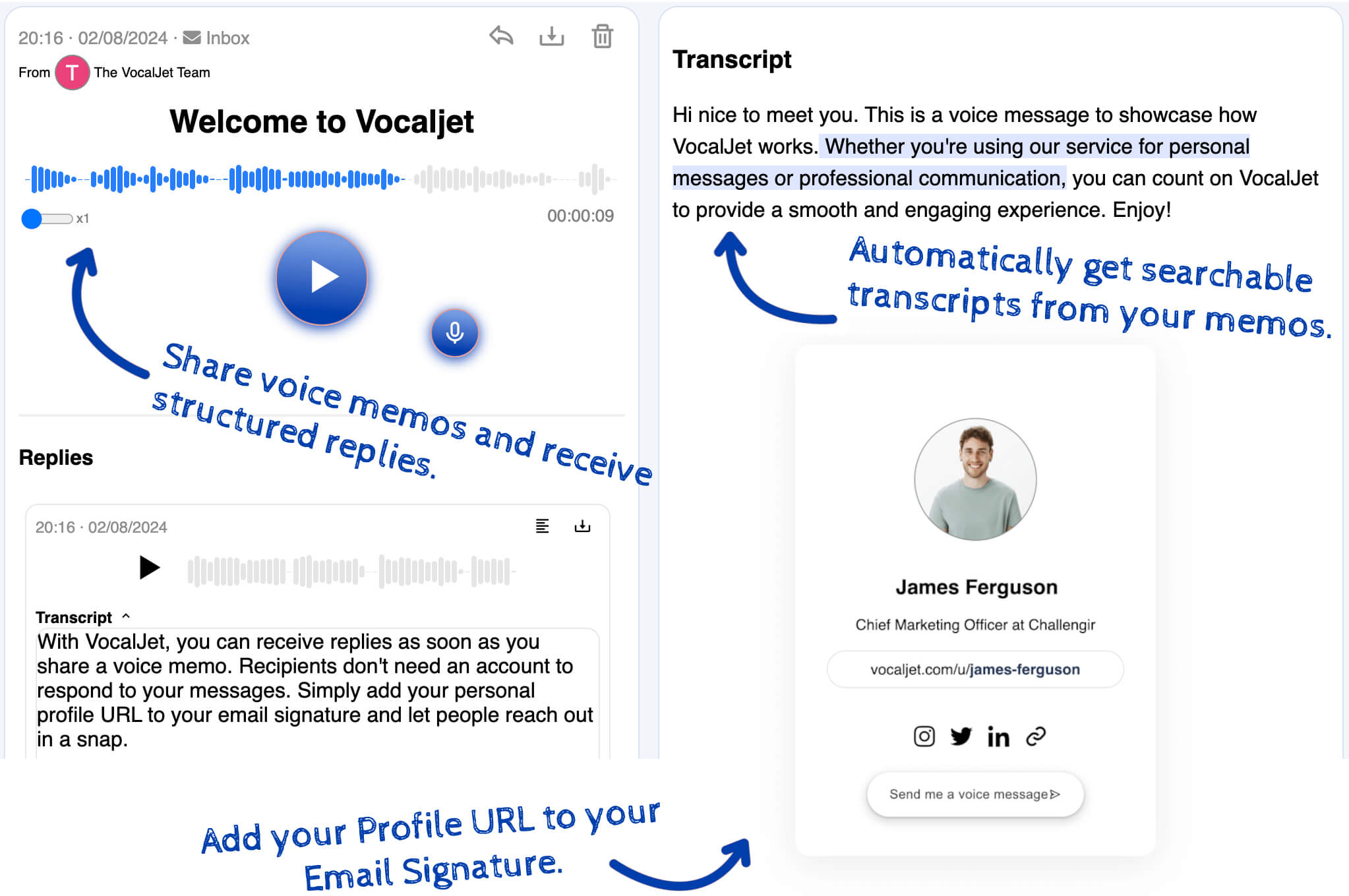
When the client needs to explain a business goal, concern or approval constraint, offer a VocalJet voice link alongside the visual reference. Ask them to name the version and the screen element before explaining their reasoning.

The reviewer connects that explanation to the visual feedback, checks the transcript and writes the agreed action in the project workspace. Use Loom’s timeline when the location matters, and a voice reply when the context needs explanation. This combined method is manual; it is not a native connection between the two products.

Loom vs VocalJet

Screen recording and voice feedback solve different client communication problems.

Option

Loom

Best for

Visual walkthroughs and time-specific comments

Consider

Choose appropriate viewing and commenting access

Output

Screen or camera recording with contextual feedback

Email comments

Best for

Small written changes

Consider

Include enough context and the correct version

Output

Written comments to review

Project comments

Best for

Point-specific file feedback

Consider

Context outside the asset can be missing

Output

Good local context

VocalJet

Best for

Spoken rationale and client voice replies

Consider

Add a separate visual reference when location matters

Output

Voice recording and transcript

Best use cases

  1. Design feedback

    Clients explain direction and rationale without producing a polished video.

  2. Website revision notes

    Turn spoken comments into action items and open questions.

  3. Stakeholder review

    Collect multiple perspectives asynchronously.

  4. Scope risk detection

    Surface new requests that are hidden inside revision feedback.

Workflow steps

  1. Send a feedback prompt

    Ask what should change, why it matters and what decision is needed.

  2. Collect the voice reply

    The client records from a link without account setup.

  3. Turn feedback into work

    Check the transcript, write the agreed changes and confirm anything still unresolved.

Common questions

Is VocalJet a full Loom replacement?

No. Keep Loom when showing a screen or discussing a specific moment in a video helps the review. VocalJet provides voice messages and transcripts; your team writes the decisions and tasks.

When should I use VocalJet instead of Loom?

Use VocalJet for a spoken explanation when showing the screen is unnecessary. Keep Loom when visual placement, cursor movement or a sequence on screen is essential to understand the feedback.

Can clients reply without a VocalJet account?

Yes. Clients can record feedback through a shared link without creating an account.

Does VocalJet help with revision scope?

It preserves the client’s spoken explanation and offers a transcript. Your reviewer compares the request with the agreement and decides what needs clarification, approval or a new estimate.

VocalJet

Create a voice intake link

Capture the original request and its transcript, then review the context before agreeing work.