Typeform alternative for client intake


Compare guided Typeform questions with a spoken response, and keep the route that captures the information your team needs.

Typeform Alternative for Client Intake | VocalJet
VocalJet app preview


Choose the intake method around the information you need

Start with the client task. A form, a voice link or a combination can each be the right choice.

Practical choice guide · reviewed October 29, 2026

Need

Required fields, branching and repeatable qualification
A practical starting point

Typeform provides form logic, variables and follow-up workflows.

What to verify

Build the fields and branching rules you need; review current plan limits.

Files attached to a form response
A practical starting point

Typeform supports a File Upload question, including audio files. Audio-file uploads require a plan that includes them.

What to verify

Its documented limit is 10 MB per file and availability depends on the plan.

Client explains background in their own words
A practical starting point

A VocalJet voice link provides a way to collect spoken context.

What to verify

Give a focused prompt and review the recording or transcript before confirming scope.

Both reliable facts and a nuanced explanation
A practical starting point

Keep a short form for the facts and add a voice step for context.

What to verify

Confirm how you will combine the responses; this does not assume a native integration.

Sources: Typeform’s workflow documentation, File Upload documentation and integration documentation. Features and plans can change. A file upload is not the same workflow as recording through a shared voice link.

A fair workflow comparison

Evaluate the result, not just the intake screen

A pleasant intake experience is only useful if the answers help the team decide what happens next. Test the complete handoff from the client’s request to the person preparing the proposal.

Keep the guided path when it earns its place

Typeform supports logic, variables and branching, so a client can see questions relevant to earlier answers. Its integrations include Google Sheets, Excel and Slack. Check your plan and configuration for the features you need; this comparison does not assume every feature is included in every plan.

Typeform also offers published links and embeds. A shareable link alone is not a reason to replace it. Keep the questionnaire when segmentation, required fields or an established response workflow matters.

Add explanation without rebuilding the form

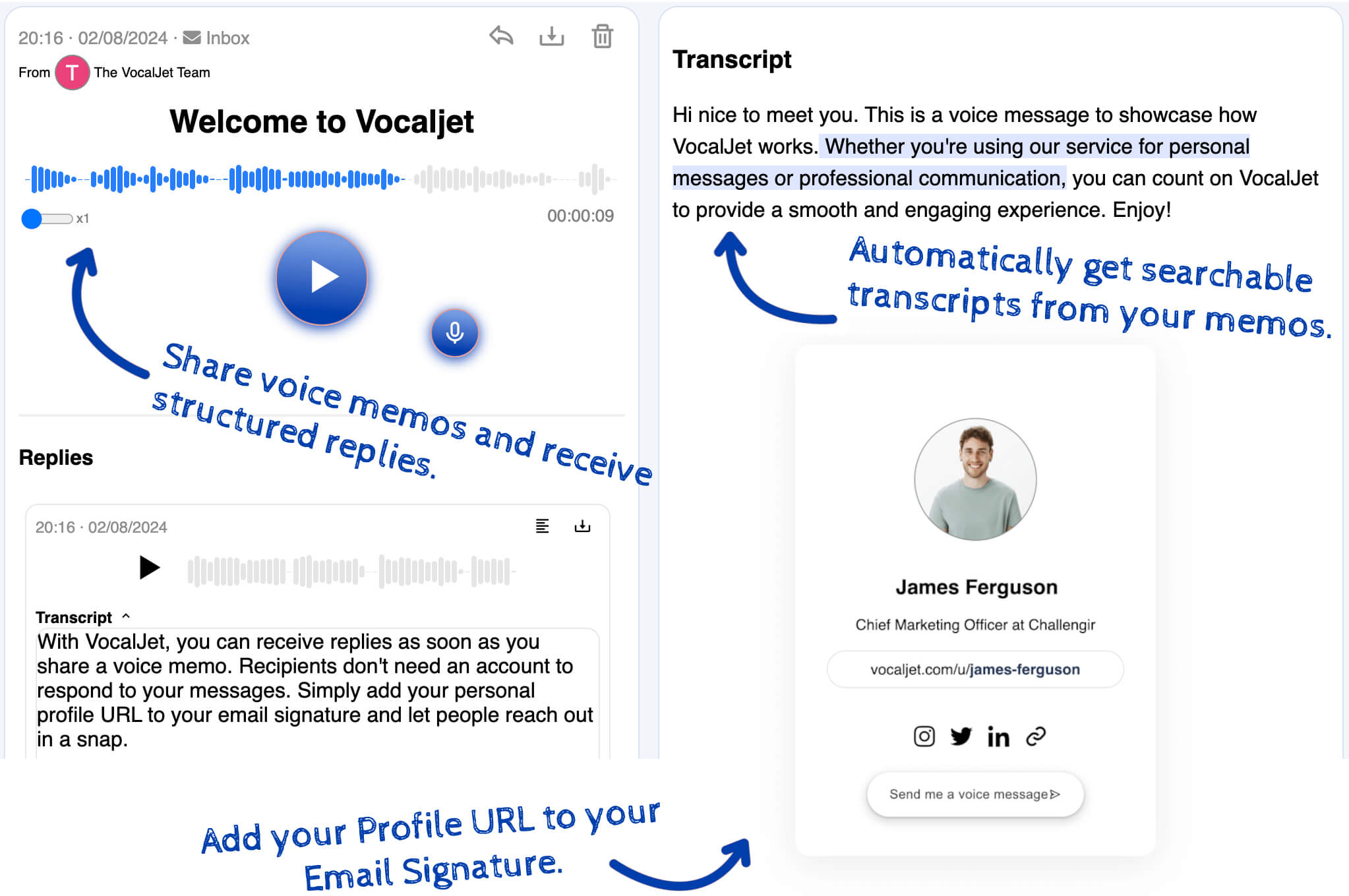
Use the guided form for repeatable choices, then offer a separate voice link for the reasoning behind an answer: a trade-off, a constraint or disagreement between stakeholders. Ask one question that the form has left unresolved.

Keep your current form integrations for structured responses and manually associate the voice note using the same project reference. A reviewer checks the recording and transcript and reconciles any differences. VocalJet does not automatically populate Typeform fields or synchronize the resulting brief.

Short answer

VocalJet is a Typeform alternative for client intake when agencies need richer project context than form fields usually capture. Typeform supports guided, branching forms and integrations. Add or choose a voice link when a client would rather explain reasoning aloud. Keep the form for repeatable fields and the routing it already handles.

Typeform vs VocalJet

The choice is not form versus no structure. It is field-first intake versus voice-first context capture.

Option

Typeform

Best for

Guided questionnaires with conditional questions

Consider

Check plan features and how answers enter your workflow

Output

Structured answers and configured integrations

Google Forms

Best for

Structured fields and answer-based section routing

Consider

Design questions to capture enough context

Output

Form responses, Sheets or CSV

Discovery call

Best for

Live relationship building

Consider

Scheduling overhead

Output

Live discussion and your meeting notes

VocalJet

Best for

Open spoken explanations beside the structured intake

Consider

Your team reviews and structures the context

Output

Voice recording and transcript

Best use cases

  1. When clients hate long forms

    Give them a voice prompt instead of another 20-field intake form.

  2. When answers are too short

    Capture the reasoning behind the requested deliverable.

  3. When scope is unclear

    Ask the client to explain constraints, stakeholders and what should be excluded.

  4. When you need a brief

    Turn the spoken answer into reusable project context.

Workflow steps

  1. Keep the useful form logic

    Retain the questions and integrations that already collect comparable information.

  2. Add a separate explanation

    Offer a voice link for a trade-off or constraint that needs more context.

  3. Reconcile the answers

    Review both sources manually and confirm differences before drafting the brief.

Common questions

Is VocalJet a direct Typeform replacement?

It can provide a voice response route, but it does not reproduce Typeform’s form logic, fields or integrations. Keep the form when those capabilities are needed.

When should I keep Typeform?

Keep Typeform for guided questionnaires, conditional questions and the response integrations you already use. The official feature sources are linked in the comparison above.

When should I use VocalJet instead?

Use VocalJet when a client needs to explain project context, uncertainty, constraints or subjective feedback.

How do I turn the voice answer into a structured brief?

The recording can be transcribed into text. Your team structures that text into a brief, identifies questions and writes follow-up actions. The process is manual after transcription.

VocalJet

Create a voice intake link

Capture the original request and its transcript, then review the context before agreeing work.